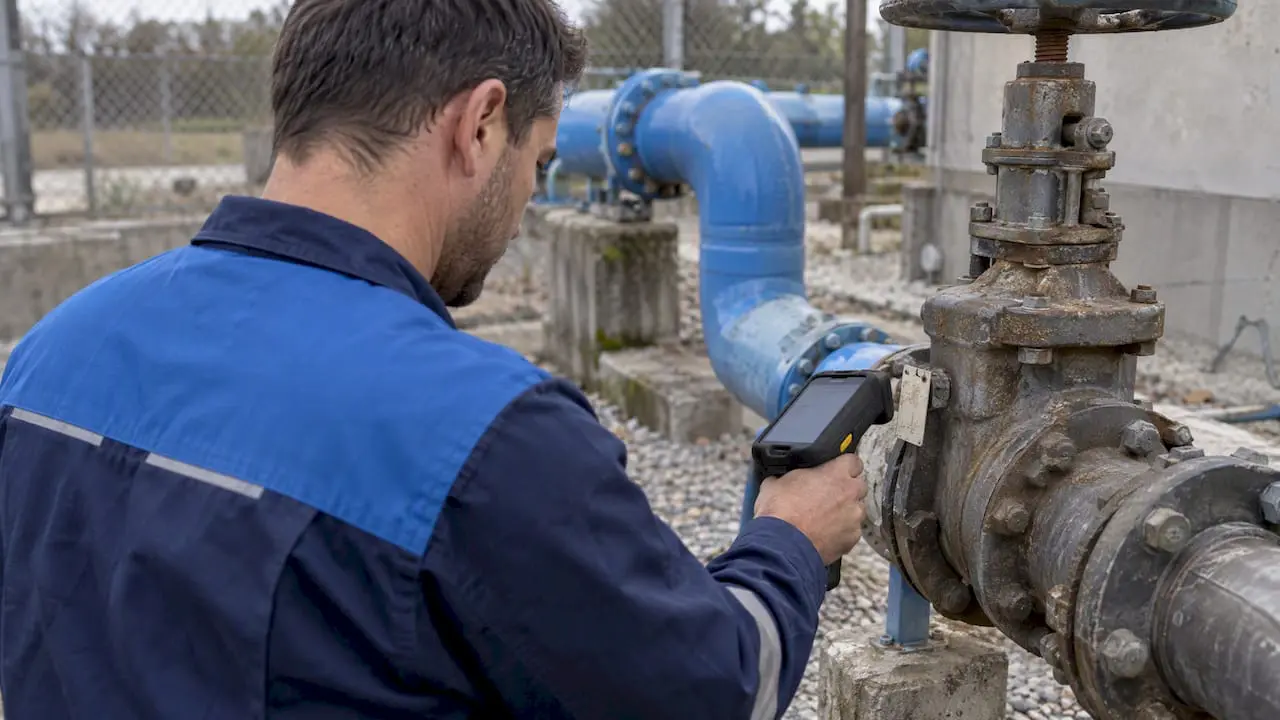
GIS integration with a CMMS connects the map to the work. Maintenance records, work orders and inspections are tied to the physical location and relationships of each asset. In practice, a technician or planner selects an asset on a map, sees its history, and opens a work order from that same feature. Field findings then flow back to correct the GIS. The software is the easy part. The harder part is deciding which system owns which data, and this guide covers both.
TL;DR
- GIS holds where assets are and how they connect. The CMMS holds what was done to them: work orders, inspections, labor, parts and history.
- Start with a durable shared asset ID and a written ownership model. The map comes second.
- Connect through an API or web service, map fields layer by layer, and test one-way sync before enabling two-way updates.
- Begin with the minimum useful scope: map location, shared ID, work-order status, inspection forms and photos. Add topology, indoor maps, sensors and ERP procurement later.
- Treat it as an information-governance project as much as a software project.
Table of Contents
- What GIS integration means for maintenance teams
- What a connected GIS and CMMS lets you do
- Start with identity and ownership, not the map
- How the integration is technically built
- Where remote sensing and GPS fit
- A phased scope that works for facilities, plants and campuses
- Our perspective on GIS and CMMS
- What to look for in a CMMS before you integrate
- Common mistakes
- Getting started with MPulse
- FAQ
- Sources
What GIS integration means for maintenance teams
A geographic information system analyzes and displays geographically referenced information, meaning data attached to a unique location. Esri describes GIS as connecting data to a map, combining where things are with descriptive information about what they are like.
For a maintenance organization, that location-linked data can include:
- An asset’s coordinates or geometry (a point for a valve, a line for a pipe, an area for a parking lot).
- Building, floor and room.
- Network connectivity, such as which pump feeds which line.
- Service territory or district.
- Installation attributes and condition observations.
- Related work history.
A GIS database is not a spreadsheet of addresses. It stores spatial representations and attributes, often in a geodatabase. According to Esri’s geodatabase documentation, the primary dataset types are feature classes, raster datasets and tables. That detail matters later, because these structures carry rules that your CMMS integration has to respect.
The CMMS covers the other half. It manages maintenance-centric assets, preventive maintenance schedules, work orders, inspections, labor, parts and maintenance history. Integration puts the right context in front of the right person, in the tool they already use.
What a connected GIS and CMMS lets you do
The clearest documented example comes from a public utility. San Juan Water District describes a centralized GIS and CMMS data approach in an Esri case study. The district reported improved reporting and inspection workflows. Its documented capabilities map neatly onto what any maintenance team wants:
- Historical maintenance retrieval: select an asset on the map and see everything done to it.
- Work orders from map features: deploy planned or unplanned work from the feature itself.
- Outage tracing: trace connected infrastructure before a repair that could interrupt service.
- Contractor map publication: give outside crews a map of the assets in their scope.
- Field markups: return what crews observe to correct GIS discrepancies.
Water utilities are the best-documented case, but the same pattern applies elsewhere:
- Facility managers: a campus or multi-building portfolio where assets span buildings, floors and outdoor areas.
- Manufacturing: plants with several buildings, yards and utility runs.
- Healthcare: hospital campuses where an air handler’s location and the rooms it serves determine compliance risk.
- Education: districts and universities with dozens of sites.
- Contractors: crews who need a map of customer assets and a clean record of work performed.
Start with identity and ownership, not the map
The highest-impact implementation detail is the asset identity and ownership model. Teams that skip it end up with the same asset in two systems under two names.
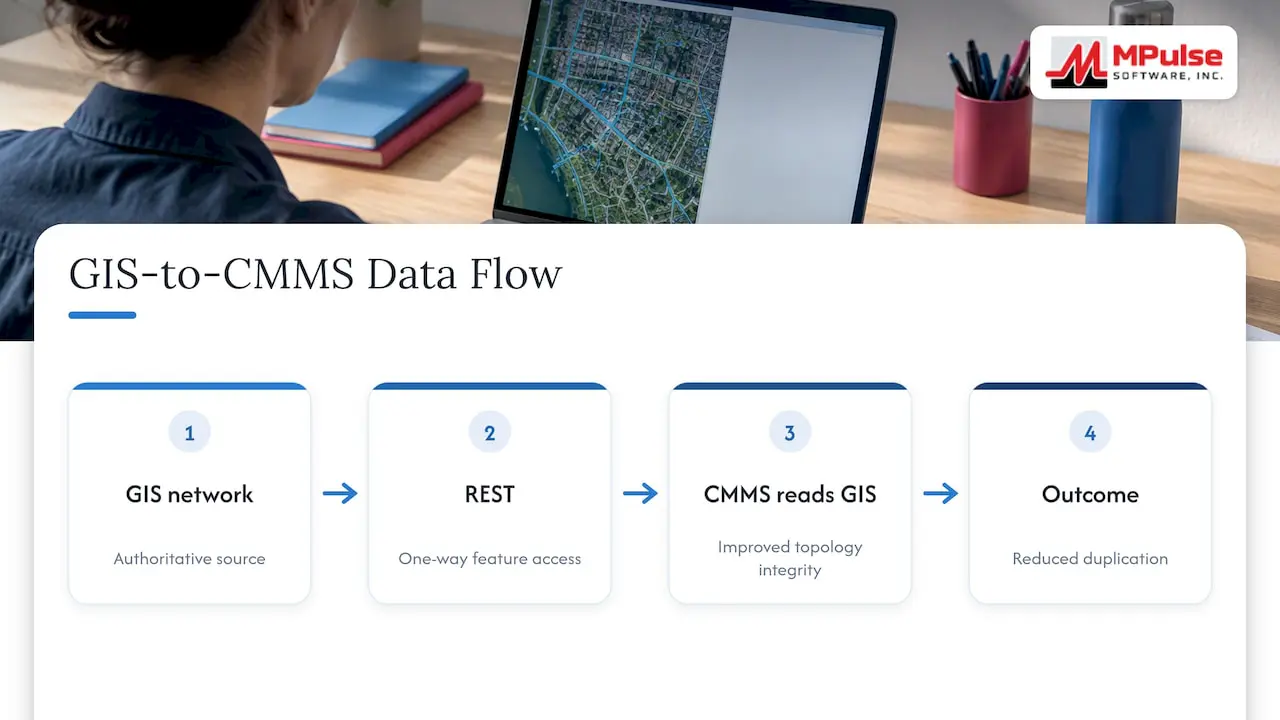
San Juan Water District’s earlier experience shows why. Duplicated GIS data, regular manual updates and inconsistent asset naming made inspection and reporting cumbersome. Its later design made the GIS utility network authoritative and let the CMMS read GIS features directly through REST, which reduced duplication and improved topology integrity.
Build a durable cross-system key
Pick one identifier that never changes and store it in every system that touches the asset. Depending on your environment, that may include:
- The GIS feature ID.
- The CMMS asset ID.
- The ERP equipment number.
- Any physical facility tag or barcode.
Choose a key that survives edits, migrations and re-exports. A row number or display label that changes when someone renames a layer will break the link quietly, and you will find out during an audit.
Write down who owns what
GIS and CMMS should not compete as master databases. Esri’s own guidance on GIS and enterprise asset management frames integration as a way to keep information in the system best suited to maintain it, rather than forcing one application to store every asset detail.
A practical ownership table looks like this:
| Data | Owning system | Why |
|---|---|---|
| Location, geometry, topology, network relationships | GIS | Built for spatial integrity |
| Work orders, inspections, PM schedules | CMMS | Built for maintenance workflow |
| Labor, parts, maintenance history | CMMS | Tied to execution and cost of work |
| Purchasing, accounting, financial records | ERP | Enterprise finance functions |
| Live sensor values | Sensor or building system | Real-time source, summarized in CMMS when needed |
A CMMS is not an ERP, and the reverse is true too. The ERP generally handles finance, procurement and accounting. The CMMS handles maintenance. Integration lets each remain authoritative for its own domain. Oracle’s utilities documentation takes the same position on a related setup: GIS is the system of record for location-related details, and those details are synchronized into the other system continuously.
How the integration is technically built
Most projects use one or more of three patterns:
- REST or web-service exchange. One system calls the other’s API to read or write records.
- Direct or enterprise geodatabase connection. The CMMS reads the geodatabase layers themselves.
- Scheduled or event-driven synchronization. Data moves on a timer, or when a record is created or changed.
Vendor documentation for an enterprise asset system shows how detailed this gets. It covers both enterprise geodatabase and direct connections, GIS IDs, field mappings and configurable responses when records or features are created. The details differ by product, but the questions are the same everywhere.
Decisions to make before you turn anything on
A production design should answer these before any two-way update is enabled:
- Field mappings. Which GIS attribute maps to which CMMS field?
- Create, update and delete behavior. If a feature is deleted in GIS, what happens to the asset and its history in the CMMS? Retiring is almost always safer than deleting.
- Conflict handling. If both systems change the same attribute, which wins?
- Authentication. Which service account is used, and what can it write?
- Logging and retry. What happens when a sync fails at 2 a.m.?
- Ownership rules. Which system is allowed to write to which fields?
Enterprise consultancy TRC makes a related point in its guidance on GIS and SAP integration: synchronizing master data and respecting each system’s APIs and business rules are foundational.
Field mapping is where projects quietly fail
Spatial datasets carry schema, domains, relationships and integrity rules, not just coordinates. An integration that copies geometry without respecting those rules can create records that look complete but are operationally unreliable.
Map fields at the layer level. Define defaults or templates for attributes that must be consistent. The vendor documentation above gives one example: mapping a GIS district attribute to an organization field in the maintenance system. Before enabling two-way sync, validate:
- Coordinate systems.
- Domain values (the allowed lists for an attribute).
- Required fields.
- Update permissions on every layer the integration touches.
Where remote sensing and GPS fit
Readers often ask how remote sensing, GIS and GPS come together. They are a complementary workflow, not one system:
- Remote sensing supplies imagery or sensor-derived observations.
- GPS supplies field coordinates.
- GIS stores, validates, analyzes and visualizes those observations.
- The CMMS turns verified findings into work orders, inspections or preventive maintenance actions.
How often this runs automatically depends on your devices, APIs and governance. A weekly review of flagged assets is a reasonable start for many teams, and it is easier to tighten later than to unwind an automation that creates noise.
A phased scope that works for facilities, plants and campuses
The most useful minimum scope has six pieces:
- An asset map or location reference.
- A shared identifier.
- Work-order status visible from the map.
- Inspection forms.
- Photos or markups from the field.
- Controlled synchronization of core attributes.
Add topology tracing, indoor maps, sensors, ERP procurement or regulatory reporting only after the core identity and workflow are reliable.
A sensible sequence
| Phase | Scope | Exit test |
|---|---|---|
| 1 | Clean asset list, shared ID, one-way GIS to CMMS for location and core attributes | Zero duplicate assets in a sample audit |
| 2 | Map view of work-order status, work-order creation from a feature | Planners use the map daily |
| 3 | Inspection forms, photos and markups from mobile devices | Field findings reach GIS review |
| 4 | Selective two-way updates under written ownership rules | Sync logs reviewed without surprises |
| 5 | Sensors, indoor maps, ERP purchasing, regulatory reporting | Each added only with a named owner |
This is a recommended approach based on the research above, not a fixed standard. Adjust the phases to your site count and staffing.
Our perspective on GIS and CMMS
We have supported maintenance teams for years, and the pattern we see is consistent: the integration that works is the one the team can explain in one page. Who owns the asset record, who owns the location, and what happens when they disagree.
MPulse CMMS is built around preventive maintenance automation, work order management, asset tracking, calendar scheduling, inventory, mobile use and barcode scanning. Barcode and asset tags are often the most practical bridge between a physical asset and a GIS feature, because they give the technician in the field a reliable way to confirm identity. We also offer integration capabilities for ERP and sensor systems, and our DataLink Integration Adapter exists for exactly this kind of data exchange.
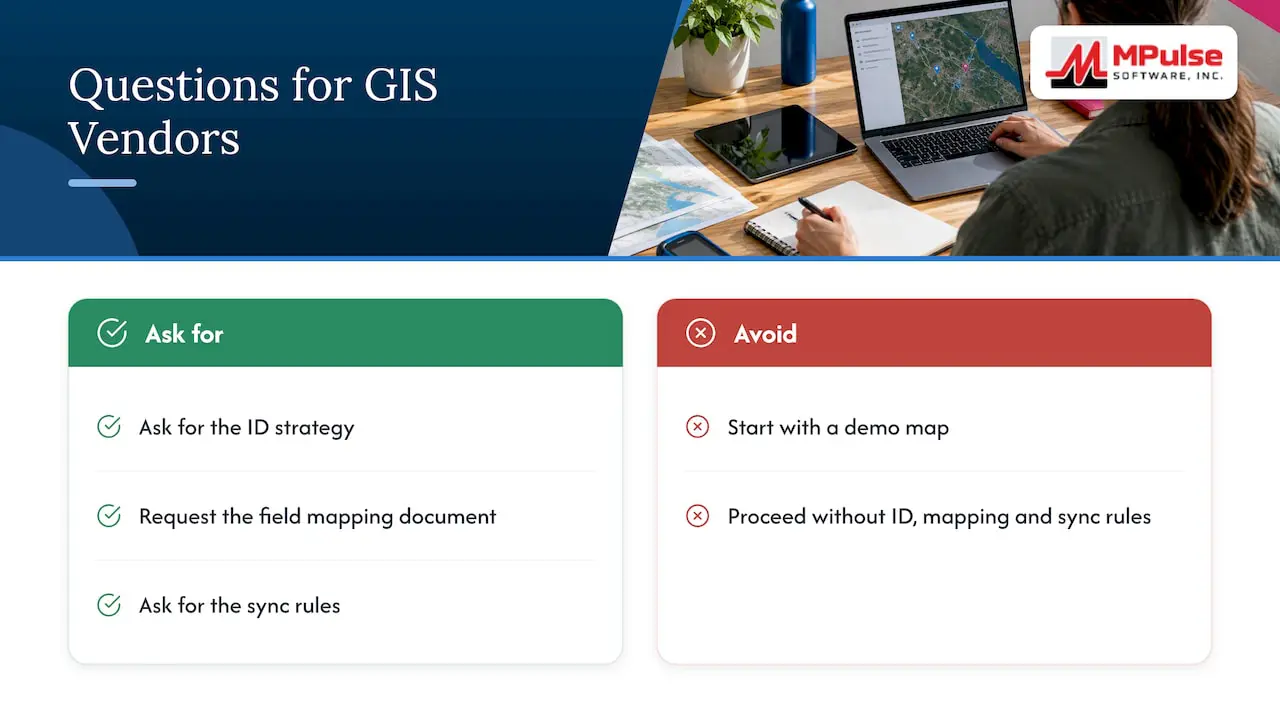
Our advice to buyers is to be skeptical of any proposal that starts with a demo map. Ask for the ID strategy, the field mapping document and the sync rules first. If a vendor cannot show those, the map will look good for three months and then drift.
The scope of any GIS connection depends on your GIS platform, your data model and your sites. We scope it with you before anything is promised, rather than assuming one setup fits every organization. Compliance-heavy operations, such as healthcare facilities and regulated manufacturers, benefit most from this discipline, because every record may need to stand up to an audit.
— Mark
What to look for in a CMMS before you integrate
Whether you are replacing a system or adding GIS to the one you have, check these points:
- An open, documented API. You need to read and write assets, work orders and statuses without custom hacks.
- A stable asset ID field. It should accept an external key and keep it through edits.
- Asset hierarchy that matches your sites. Sites, buildings, floors, systems and components should map to your GIS layers. See how we approach asset management.
- Mobile access with photos. Field markups are what keep the GIS honest.
- Inspection checklists and history. For regulated sites, asset history and inspection checklists are the records auditors ask to see.
- Preventive and condition-based triggers. Location context improves planning when schedules and sensor-driven rules are in the same system. Our pages on preventive maintenance and condition-based maintenance show how these work.
- Requester access. Maps are most useful when many people can request work. MPulse includes unlimited free requesters.
Common mistakes
Copying every field everywhere. A governed integration exposes the right context in each workflow rather than duplicating all data.
Using a mutable key. If an ID changes when a feature is edited, links break without any error message.
Enabling two-way sync on day one. Run one-way first, review logs, then open writes on specific fields only.
Ignoring domains and required fields. Records that pass the sync can still be unusable for reporting.
Skipping governance. Name a data steward for GIS and one for the CMMS. When they disagree, the written ownership table decides.
Getting started with MPulse
If you are planning a GIS connection, start with the CMMS foundation: clean assets, a stable ID and working preventive maintenance. Our CMMS implementation, training and consulting services help teams set up asset structures and workflows before integrations are layered on. Our add-ons page covers the DataLink Integration Adapter, Single Sign On and the Resource Planning Dashboard.
Published pricing: the Professional plan is $29 per month per user, and the Advanced plan is $79 per month per user. Technician licenses and enterprise add-ons have no published price. See the pricing page for current details, or talk to us about your GIS requirements.
FAQ
What does GIS data mean?
GIS data is geographically referenced information: observations or records attached to a location. It is represented through geometry such as points, lines, areas or grid cells, plus descriptive attributes. In maintenance, that means an asset’s position, its building and room, its network connections and its condition observations.
Is a CMMS an ERP system?
No. A CMMS manages maintenance work: assets, preventive maintenance, work orders, inspections, labor, parts and history. An ERP generally manages finance, procurement and accounting. Many organizations integrate the two so purchasing and cost data flow without double entry.
How can remote sensing, GIS and GPS be integrated?
They work as stages of one workflow. Remote sensing provides imagery or sensor observations, GPS provides field coordinates, and GIS validates and visualizes the data. The CMMS then converts verified findings into work orders or inspections. The exact automation depends on your devices, APIs and governance rules.
What is the database management system in GIS?
GIS data is typically held in a geodatabase, which is a database managed in a database management system. According to Esri’s definition of a database, it is a structured set of persistent data stored as a unit and associated with software to update and query it. The geodatabase holds feature classes, rasters and tables, with rules for topology and integrity.
Should GIS or the CMMS be the master record?
Neither one for everything. GIS is strongest for location and network relationships, and the CMMS is strongest for work and maintenance history. Write down which system owns which fields before you connect them.
Sources
- USGS: What is a geographic information system (GIS)?
- Esri: What is GIS?
- ArcGIS Pro documentation: Fundamentals of the geodatabase
- Esri case study: San Juan Water District and ArcGIS Utility Network
- Esri blog: GIS and Enterprise Asset Management
- Oracle documentation: Which System Owns Asset Related Details?
- TRC: Unifying Your Enterprise Platform with GIS and SAP Integration
- Esri GIS Dictionary: Database
- Hexagon EAM Help: Understanding GIS integration