
Mistakes that Occur When Buying CMMS

After more than 3,000 customers, MPulse employees have an insider’s viewpoint of what works—and what doesn’t—when it’s the right time for your organization to buy CMMS software. To help new and potential customers, we’ve created a list of the five most common mistakes that occur when buying CMMS software. So, you can learn from other people’s mistakes (and avoid them). Use these five items to ask questions now that will help your CMMS implementation succeed later. Scalability: Scalability means the CMMS software can accommodate changes in size or volume as your needs change. That may mean something as simple as adding user licenses. Or, more complicated like adding advanced features or upgrades to meet new organizational needs. Compatibility: Maintenance managers often need to share maintenance data with their organization’s systems of record. CMMS software’s compatibility with external applications means you don’t need to worry about manually reformatting volumes of data to just to satisfy the requirement of other systems. Customizations & Modifications: It’s important to be able to customize certain things so your CMMS software matches your organization’s needs. Make sure you can adjust layouts, add custom fields, create nested fields, and link custom prompts to fit your needs. Mobile Devices: If you haven’t started using mobile devices in your maintenance operations, you probably will soon. Look for CMMS software with an adaptive interface. As a result, your maintenance team will experience the same easy access no matter what device (desktop computer, tablet, or mobile phone) they use. Data Accessibility: A modern CMMS, properly integrated, can use data from virtually any source to feed its alerts, alarms, and reports. Make sure your CMMS software can track the data that your users need. You’ll also want to run custom reports on the information you and your organization’s managers need to know about. Sometimes failure can give you the tools and information you need to succeed. Take advantage of our experience with maintenance management for a variety of organizations. Contact us to see how we can help.
Prioritize Maintenance Tasks and Maximize Efficiency, Part 2: Calculate the Value

Last time, I shared my strategy for categorizing maintenance tasks. Obviously, emergencies and breakdowns take precedence. But what about the rest? It’s not as simple as going down the list in order from high to low. Maintenance operations are far more complicated than that. Maintenance managers can start by understanding the value of each maintenance task. Calculate the Value of Maintenance When I prioritize tasks, I’m looking at four things… Value to my organization Time to complete Proximity and/or location Potential loss if not completed I use these four things as a proportional tool to figure out what needs to happen when. Obviously, value to the organization is a big part of the equation. You’re going to prioritize tasks on key assets that directly affect your operations. Next, estimate how much time each task will take. CMMS software provides historical information about time and costs, which will give you the information you need to make data-driven decisions. But if you’re new to the CMMS world, make an educated guess. Then, consider the proximity and/or location where the tasks take place. This factor is particularly important for organizations with large facilities, multiple locations, or off-site assets. Finally, consider the potential impact if not done. This can be critical, for example, if you don’t change a component on time and the failure disrupts maintenance operations. How Does It Work? Let’s look at some real-world scenarios. Scenario 1. A key asset needs a major repair. Your tech is working on the same components that have a PM scheduled for next week. The equipment is disassembled, meaning it’s easier to access areas for lower priority tasks that don’t take a lot of time. It makes sense to do those other repairs or PMs at the same time, even though those tasks might be farther down on the list. Scenario 2. You have an off-site facility that your techs visit infrequently. A high-priority task is scheduled, and your crew will travel to this site. It makes sense to take the extra time to perform maintenance on other equipment at the site, saving another trip later. Scenario 3. Your tech is waiting for a part. There’s an hour to kill before the part is delivered. He checks his work order assignments, and he sees he doesn’t have enough time to dig into another high priority task before he’ll get pulled back to his original task. But while he waits, he can knock off a few quick work orders that don’t take a lot of time. It’s a lot to track. But CMMS software can help. Next time, I’ll share how maintenance software is the key to keeping your team on top of their task lists. In the meantime, leave a comment with real-world examples from your organization or contact us today. We all learn from each other.
Benefits of the IIoT for Your Maintenance Team

Last time, we identified four obstacles to implementing the Industrial Internet of Things (IIoT) that a lot of maintenance managers are experiencing. If you are one of them, you’re not alone. Let’s talk about why moving past these obstacles is critical to modern maintenance operations. Solving Problems The big goal of the IIoT is to integrate people and processes in a way that solves problems. Since maintenance management is about fixing problems, there’s a lot of potential to make your operations more efficient—and your job a little easier. It’s highly likely your organization has already automated physical processes related to your operations. Do you have an automated thermostat for your HVAC system? Production equipment that sorts, cuts, or transports goods? GPS systems in your vehicles? These things are the first step to the IIoT. Over time this data provides a history of operations and performance that enables you to better understand the condition of your assets and your production. That means your maintenance operations can look at what’s going to happen, instead of what has happened. And your team can make decisions based on that information. Monitoring Real-Time Conditions The big picture of the IIoT is the shift from preventive maintenance based on time or usage to predictive maintenance based on real-time conditions. [related-content] The IIoT is bringing those sophisticated tools to the masses. IIoT technology gathers the data from your assets. Your CMMS software can capture, store, and organize data that can be produced into reports and fed into predictive analytical tools. Today, maintenance managers are using IIoT data for… Finding failing equipment Recommending action before equipment failure Tracking trends Identifying problem areas or assets Justifying equipment replacement Creating a better maintenance strategy Improving efficiency Those are big advantages for the maintenance team. That’s why is so important to move past the typical obstacles and figure out how the IIoT can work for your team. Take the first step by talking to people with experience in implementing IIoT technology. Start by calling our industrial technology experts at (800) 944-1796 (USA and Canada) or +1 (541) 302-6677 (outside of USA and Canada). We’ll help you make a plan that works for your organization. Next time, we’ll share three steps to move forward.
Overcoming Obstacles to the IIoT

From the trade mags in your mailbox to the email newsletters in your inbox, everyone’s talking about the Industrial Internet of Things (IIoT), also known as Industry 4.0. Overcoming obstacles to the IIoT can seem like chartering into the unknown. It’s likely the IIoT is on your long “To Do” list—or at least on your radar. So, let’s talk about the obstacles that other maintenance professionals have experienced, and why. The Challenges of the IIoT The IIoT describes systems that gather information directly from multiple devices, which can be almost anything with a sensor—including computers, vehicles, smartphones, appliances, building automation systems, and production equipment. For the maintenance team, that means more real-time data to provide better insights into your assets, how they’re working, and what they’re really costing you. [related-content] But implementing the IIoT in the real world presents some challenges, despite enthusiasm from senior management. The Emory University study found four major reasons the maintenance field has been slow to deploy IIoT technology … Lack of skill sets. The IIoT requires a different skill set than most maintenance professionals have, as it merges operating technology with information technology. That means there’s both a lack of understanding about the IIoT and its capabilities, as well as simply a shortage of qualified employees with data management skills to get started. Current system still works. Many modern maintenance operations have fully embraced the preventive maintenance approach, which is working for them. So, some maintenance professionals don’t see the need for changes to their current workflows. Cybersecurity. IIoT data has value, which means it comes with challenges related to its safety and security. With active threats to IT systems growing constantly, maintenance managers are hesitant to bring new systems online without addressing concerns about complexity, data security, privacy, cyber attacks, hackers, disruptions, malware, sabotage, and data theft. Data silos. Traditionally organizations have used business software that creates little islands of computing power spread out across the organization. The proprietary nature of most systems and technology can make it hard to integrate technology vendors, IIoT systems, and external data sources. All these factors are valid, and they can be addressed by talking to people with experience in implementing IIoT technology. Start by calling our industrial technology experts at (800) 944-1796 (USA and Canada) or +1 (541) 302-6677 (outside of USA and Canada). We’ll help you navigate your obstacles and make a plan that works for your organization. Next time, we’ll talk about why moving past these obstacles is critical to modern maintenance operations. * Jalan, Arnav. “The Future of IIoT Predictive Maintenance,” Emory University and Presenso, https://www.presenso.com/blog/emory-research, May 28, 2018.
Must-Ask Questions about Your Maintenance Operations

Maintenance managers are busy, and it can be hard to find time to sit back and take a closer look at your operations. But taking the time for a little reflection can have a big impact on the future of your department. Luckily, we’ve complied a list of 10 must-ask questions about your maintenance operations. When you take the time to review your maintenance goals and workflows, you’ll probably find some things that you can do to improve, as well as identify new ways to improve your team’s productivity and efficiency. Nine Questions to Ask Yourself Start this process by asking yourself these nine questions… What’s making you nervous at work? What changes have you noticed and how will they impact your maintenance team? What resources might help you successfully navigate these changes? What are your organization’s plans for adding or replacing assets? Do you have new employees who would benefit from some training? Could other team members use a refresher in certain areas? Do you have new service requestors who need help on the best way to fill out work order requests? Do you need new or different reports for you or your boss? Is your CMMS software fully updated with any security patches or other updates from the software developer? One More Question to Ask Your Team or Service Customers After you’ve spent a little time working through the first nine questions, there’s one more question to ask your maintenance team and/or your service customers… Does anyone have questions or ideas for doing things better? The answers you get might surprise you, and they may feel a bit overwhelming. Remember you don’t have to do everything yourself. Pick up the phone and ask for help when you need it. Brainstorm with other maintenance managers for advice on how they handle things and involve your team members whenever possible. Your CMMS vendor also likely has some effective and affordable services to expedite your path to improvement. Look for services like MPulse Reset, which helps our customers reconfigure workflows and benchmarks, and then determines where adjustments to your CMMS software can help. Good maintenance managers know that plans are fluid, and they need to adapt to changes in their organization. Spend the time to reflect on these 10 questions and help your organization protect its investments and maximize maintenance productivity. Contact us.
CMMS Helps Facility Managers Move from Reactive to Proactive Maintenance
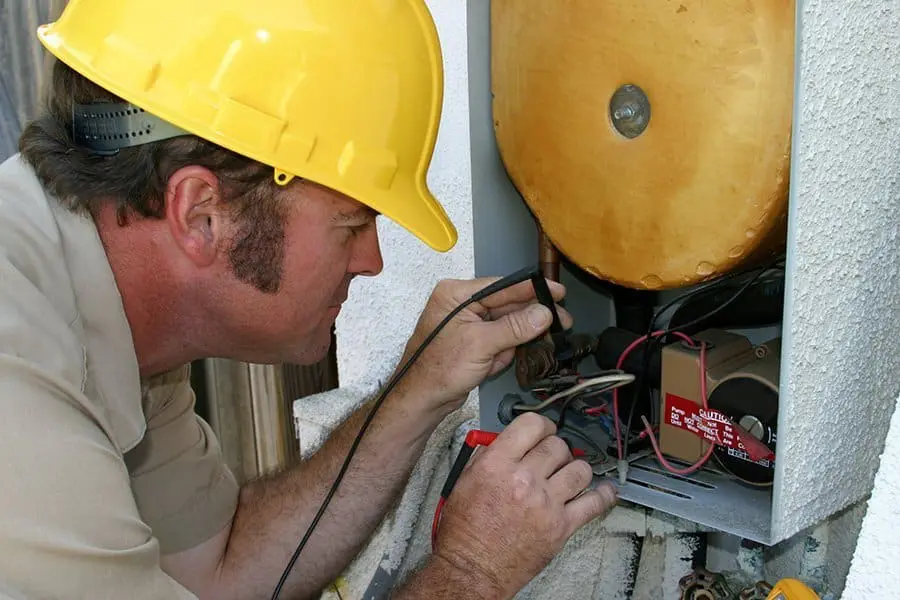
Facility managers know when someone has a problem, or something breaks down, their phone number is the one they dial. And some days, that phone never stops ringing. Many facility maintenance teams work the same way they always have—answer the phone, and then fix whatever broke. This reactive system serves a purpose, but it’s not efficient for the maintenance team or users. And it has significant consequences. Moving from reactive to proactive maintenance can keep those phone calls at bay while making better use of the maintenance team’s time and resources. It can feel challenging—almost impossible—to start a proactive maintenance program while you’re putting out fires all the time. But that’s where CMMS software can help. Schedule Preventive Maintenance Tasks A proactive approach starts with preventive maintenance. CMMS software will generate a schedule of PM tasks, making it simpler to follow the manufacturer’s guidelines. Properly maintained assets perform more efficiently, use less energy, and fail less often—extending their usable life. Preventive maintenance schedules and inspections generated from CMMS software help spot issues before they occur. Regular preventive maintenance tracking programs also ensure equipment is properly calibrated and lubricated when they need to be. Maintenance intervals can be scheduled based on asset or part condition, which triggers a work order just before the point when system inefficiencies or failures begin to occur. Facility managers can also schedule preventive maintenance work for off hours by tracking equipment use time. When a maintenance team establishes and regularly performs PM tasks that contribute to the upkeep of assets, an organization may be able to sidestep serious problems that arise as a result of neglect as well as delay more expensive maintenance. Reduce Costs & Downtime When you use CMMS software for maintenance scheduling, you’ll reduce emergency maintenance issues and unexpected production stoppages. This, in turn, cuts overtime costs for emergency repairs and reduces production losses. CMMS software also helps accurately estimate labor hours for PM tasks, making sure staffing levels match the workload and decreasing overtime costs. This type of labor cost analysis can determine when it’s more efficient to add more staff members instead of paying current employees more overtime. Preventive maintenance software is cost effective and beneficial for organizations of all sizes—lowering costs, improving reliability, and helping with compliance reporting. Find out how MPulse CMMS software can help your facility maintenance team move from reactive to a proactive. Contact us.
Should I Repair It or Replace It?

There comes a time in every asset’s lifecycle when a maintenance manager asks the same question: Should I repair it or replace it? The answer depends on several factors unique to your situation and your organization. If a breakdown has halted production, you’ll likely answer this question differently than if it’s an older piece of equipment at the end of its lifecycle. Either way, however, it’s important to make this decision based on facts, rather than assumptions. What You Need to Know The best decisions are informed decisions. When you’re asking if you should repair or replace an asset, you need to know some key information, such as… Maintenance and operating costs to date Impact on operations or production Safety issues Expected remaining service life Current resell market value Disposal costs Warranty or vendor service contract Efficiency How to Decide This information is the basis for data-driven decision making, which simply means you’re making a decision based on hard data rather than assumptions or guesses. [related-content] Every organization has different criteria for replacement versus repair. For example, one MPulse customer forecasts asset replacement when the cost of maintenance to date reaches 75% of the replacement cost. Another customer has different criteria for equipment based on its value to the production process, replacing assets that are vital to operations sooner than assets that have less of an impact. And some maintenance operations still run assets until they break down and aren’t repairable anymore. Making this decision is a lot easier when you have accurate information to go on. That’s where CMMS software comes in. Why CMMS Software Makes It Easier With each purchase and every work order, CMMS software documents… Labor costs Parts costs Energy costs Purchase price and date Life expectancy Warranty information Replacement costs Other custom data By running a few simple reports, you’ll know which assets cost the least amount of money to maintain and repair. You also can calculate when the increased efficiencies of newer models will pay off in the long run. CMMS data changes the way you make decisions because you have all the information at your fingertips to determine the total cost of ownership. Want to know when it’s time to repair or replace an asset? Contact us. We’re here to help.
Common Maintenance Problems You Can Avoid with CMMS
Maintenance requires the right knowledge and the right tools. CMMS software provides your maintenance team with both. But CMMS software doesn’t just help you fix problems. It can also help you avoid problems in the first place. When it’s your job to fix things, it’s always good to have fewer problems on your list. Five Maintenance Problems You Want to Avoid CMMS software can help you with maintenance problems, like… Missed prevent maintenance tasks. With CMMS software, you can schedule maintenance intervals based on time intervals or asset condition, which triggers a work order just before the point when system inefficiencies or failures begin to occur. Regular preventive maintenance also ensures equipment is properly calibrated and lubricated when it needs to be. Unavailable parts. The number one reason for delayed repairs is unavailable parts. CMMS manages your parts inventory, prevents under-stocking and over-stocking, and streamlines reordering. CMMS software also can determine your current inventory levels and automatically generate purchase orders based on need, reducing purchasing overhead. You also can track parts to stock based on availability. For example, if a part has a three-week lead time, you can adjust stocking levels to make sure it is available when your staff needs it. Miscommunication. CMMS software helps you eliminate lost information as well as reduce confusion and errors. With CMMS software, your employees know what their priorities should be as well as when they’ll need to complete maintenance work around other activities. With automated communication tools, CMMS software also lets the right people know the status of their maintenance requests. Historical information and technical resources. CMMS software automatically records work completed on an asset. Plus, you can link to important documents, maintenance manuals, videos, photos, supplier websites, intranets, and more. All the information is stored with the record, so it’s easily accessible the next time around. Repair or replace. CMMS software gives you hard data about the age of the equipment and the miles, hours, life-to-date repair dollars, and other metrics—so it’s easier to decide when it’s time to replace an asset instead of repair it. You’ll have all the information at your fingertips to determine the total cost of ownership, making your decision much easier. How can MPulse CMMS software help your maintenance team avoid problems like these? Leave a comment or contact us. We’re here to help.
Avoid Sticker Shock with CMMS

MPulse allows customers to avoid sticker shock with our CMMS. Two of the most powerful benefits of CMMS software are information and the insight that information provides about your maintenance operations. Most of our customers discover a few surprises after they implement MPulse Maintenance Software. A common one is when you start to look closely at the numbers for the first time. More often than not, we hear the same thing, “We’re spending HOW much on that asset?” That’s the moment you see the true value of CMMS software and its ability to improve your maintenance operations. Make Decisions Based on Hard Evidence CMMS software changes the game. It’s the best tool a maintenance manager has for gathering, analyzing, and reporting data about your equipment and your team. And by using that data, you can make decisions based on hard evidence, instead of perceptions or assumptions. We call this approach “data-driven management,” which simply means you’re making management decisions backed by reliable data instead of assumptions or guesses. [related-content] Together, CMMS software and data-driven management give you the picture you need to accurately assess how your department is functioning and where you might make changes to improve. With good data to work from, your organization can make good decisions, which will improve its ability to compete effectively and efficiently. Answer the Questions that Matter to You—and Your Boss With CMMS software, our customers find they can answer a lot of questions, like… Is it more cost effective to repair that forklift or replace it? Should I hire another staff member to reduce overtime costs? What are our biggest repair parts expenditures? We can help you set up your MPulse CMMS software to answer the questions that matter to you and your boss. Best of all, the cumulative nature of CMMS data means you can ask different questions in the future—ones you might not even think about today. It’s easy to miss key information when you’re making decisions based on assumptions or guesses. While you may be surprised how much you are spending on certain assets, knowledge is power. Suddenly you see your maintenance operations in a different light, and you can make the changes you need to make it more productive and efficient. Learn more about how MPulse can help you answer your maintenance questions. Leave a comment or contact us.
Improve Relationships Between Operators and the Maintenance Team

The relationship between your maintenance team and the people who operate the equipment they maintain does not necessarily fall into standard professional definitions. It’s crucial to improve relationships between operators and the maintenance team. While it holds some elements of a customer service relationship (the operator needs the maintenance team’s services), it’s also a partnership as one position directly affects the other, and vice versa. The operator-maintenance relationship doesn’t get a lot of attention in many organizations—and that’s to the detriment of both parties. A good working relationship between maintenance and operations personnel benefits everyone, including the organization as a whole. Who’s at Fault? The operator-maintenance relationship heavily influences key areas of any business, including… Prevention of breakdowns PM scheduling to minimize interruptions Prioritizing work based on value to the organization [related-content] Because these responsibilities directly affect productivity, there’s a tendency to want to assign blame when things go wrong. Is the breakdown due to misuse or abuse? Missed PMs? Carelessness? Neglect? Assigning the blame for downtime will cause pointless disagreements and arguments. It’s important to break away from this pattern and refocus on the best ways to prevent failure in the future. How Can We Prevent Failure? The employees who are mostly likely to trigger downtime events are often in the best position to prevent it in the future—no matter why the failure occurred. As the main users, operators have firsthand knowledge about how an asset is functioning. They also can be the source of asset breakdowns or provide insight as to why it happened. Operators often can diagnose their own machine, and they likely can prevent future downtime events. The maintenance team also holds valuable knowledge that can prevent breakdowns—like technical skills, part availability, PM schedules, and historic documentation. Working together to prevent future failures is essential. MPulse customers have found success by promoting… Training between maintenance and operators on the best ways to perform basic functions like start-up or shutdown Providing tools that promote communication—such as service requesting, PM scheduling, and automatic notification features found in CMMS software Building stronger relationships by promoting interaction outside of stressful situations, like participating in joint meetings or even sharing a lunchroom Improving the relationship between operators and maintenance starts with mutual respect and communication. You can help by ensuring all parties understand each person’s role and appreciate the benefits they bring to the organization. How have you improved the relationship between your operators and maintenance techs? Leave a comment or contact us.