
IIoT Solution Drives Vehicle Maintenance Improvement | NexTraq

Busy construction companies need reliable equipment to deliver quality work on budget and on schedule. Paul Battista, founder and CEO of Brothers Paving and Concrete, knows firsthand that staying on top of planned maintenance. Performing repairs quickly on critical assets is key for any company that wants to compete effectively. In March 2018, Brothers implemented MPulse to streamline maintenance operations. At the same time, Brothers invested in NexTraq vehicle and asset tracking software, and IIoT that drives vehicle maintenance improvement. This software uses GPS technology in vehicles to help fleet managers track mobile assets and monitor driver behavior. IIoT Software Integration Both software platforms offered big advantages to Brothers. However, the company realized it could get even more value by integrating the two solutions. By doing so, the maintenance team could trigger work orders automatically. As a result, they could get trucks in from the field for maintenance on a more reliable schedule—one driven by actual mileage, not driver-reported mileage or time intervals. The MPulse-NexTraq Industrial Internet of Things (IIoT) integration enables tire rotations, oil changes, lubrication, and other critical maintenance activities to get done when they should. As a result, the company reduced its breakdowns due to overdue maintenance. It also keeps low-mileage equipment in the field and working, instead of sitting in the shop for maintenance that isn’t yet necessary. Brothers was able to use MPulse DataLink Integration Adapter to easily map to NexTraq mileage data to the mileage fields in MPulse. And with that data coming in automatically, MPulse could trigger work orders and notify drivers when vehicles needed to come in for scheduled maintenance. “It just took a phone call to MPulse,” said Dorthy Battista, Brothers fleet manager. “It was such a smooth process, which kind of surprised me. I’d heard so many integration horror stories, but this was really easy.” Benefits for the Maintenance Team MPulse CMMS software helps maintenance managers organize and make sense of what to do with large volume of data gathered by IIoT devices. That enables maintenance teams to take action when conditions on assets show problems or when the assets need routine maintenance. “The biggest benefit for us is not having to worry about the mileage because the data is automatically updated,” Dorthy Battista said. “I don’t have to trust the driver to tell me when a vehicle needs an oil change. I can sleep at night knowing my trucks are going to be maintained.” Learn more about how MPulse integrates with other software. Contact us.
How CMMS Changes the Culture of Your Organization

You know how CMMS software streamlines workflows and improves productivity. But there’s another, more subtle change that happens to MPulse customers after they implement CMMS software. “After our first year with MPulse, I could see our team was communicating better and collaborating more,” said Heidi, a maintenance coordinator with a property management company in the Midwest. “MPulse changed the culture of our department—and our whole organization.” Small Changes Add Up Heidi is describing the result of many small changes that affect the way a maintenance team and service requesters work together, such as… Preventive maintenance schedules that update automatically, so nothing is missed because someone didn’t update a spreadsheet or logbook Automatic work order generation based on specified triggers Easily accessible information about what parts and inventory are available (and where), as well as what needs to be ordered Recorded details about previous work and repairs on assets, so everyone knows who did what when Configurable dashboards with the most important data front and center, so you know what you need to know at a glance Easy access to the reports and numbers needed to make important decisions Customized calendars, so your team can see what needs to happen when The ability to monitor multiple meters (e.g., revolutions, psi, hours) on a single asset Automated email responses to service requests keep requesters happy, and off the phone asking for updates Updates to work orders from a smartphone or tablet in the field, so no one needs to run back to the office to input information into a computer Automated routing and notification when work orders are assigned and completed Historical asset information about previous repairs and services, so no need to rely on other people’s memories or track down old work orders in the filing cabinet Documented workflows that are easily accessible, rather than stored in someone else’s brain Information about who checked out what keys as well as authorized users, reducing the problem of lost or misplaced keys Over time, these little things add up—and your maintenance team is working together better than ever. “We’re less stressed, and we’re doing fewer emergency repairs,” Heidi said. “MPulse has completely changed our workplace dynamic.” Want to know more about how CMMS software can help your organization? Contact us. We’re here for you.
Six CMMS Features Your Techs Want
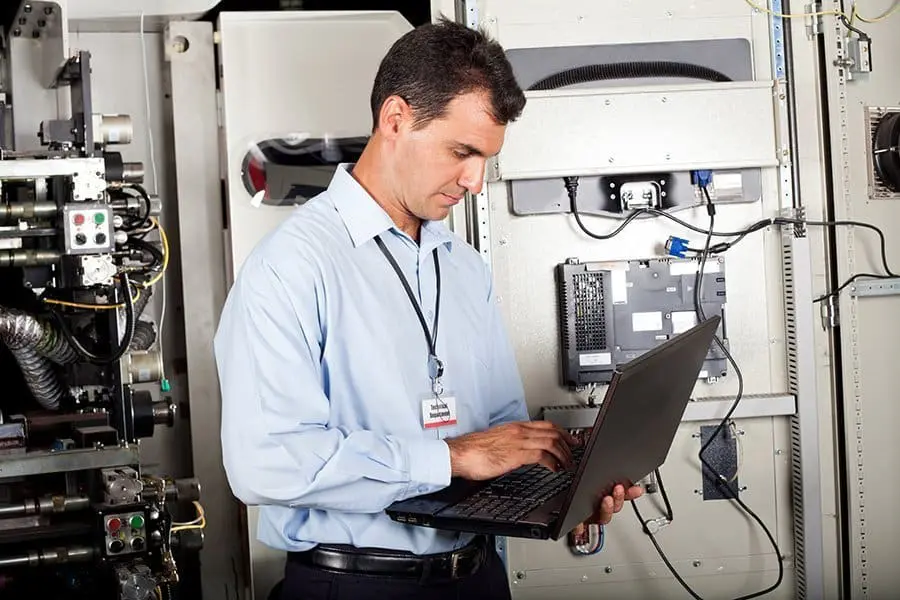
Maintenance managers know how CMMS software can capture critical data for making good decisions, while helping you save time and money. But your maintenance techs have different needs—and wants. [related-content] Your technicians will use CMMS software in their day-to-day jobs. So, it’s vital that the software you choose is easy for your team to learn and navigate. Here are six important features that your techs want in CMMS software. Work order management: Your technician’s day revolves around work orders. Make sure the CMMS software you choose streamlines the way your techs will receive, update, and close work orders, making their workflows more efficient. Also electronic work orders don’t get lost or ruined like paper work orders do, saving time and hassle for everyone. Custom fields: Probably one of the most undervalued features is the ability to customize what information your techs see, and what they don’t. The latter is as important as the first, and maybe more. Custom fields and drop downs can help your techs fill in important details quickly, helping to significantly reduce time spent on data entry—which is everyone’s least favorite task. Historical information: CMMS captures key information with every work order, and that comes in handy for the next tech who works on that asset or has a similar issue. No more lost information between shifts or tracking down a coworker to ask questions. Media and resources: Manuals, warranty information, websites and vendor information right on the screen? That’s a huge time saver when your techs are looking for important information and resources. Mobility: Maintenance happens in the field, so techs benefit from an adaptive interface that make it easy to access work orders and make updates wherever they are, without stopping by the office or needing to find a computer. Automated communication: No reason for your techs or admin staff to constantly make calls or send emails to provide updates. Your service requesters can check the status of their requests themselves and received automated emails when work orders are completed. Remember if your techs don’t use the software the way it’s intended, you’ll never get the results you need. So, when it’s time to buy or upgrade your CMMS software, think like your techs and prioritize the features they want too. Your investment will pay greater dividends faster. Contact us to find out more.
10 Ways CMMS Helps You Control the Cost of Maintenance

Controlling the cost of maintenance is a major goal for maintenance teams. Here are 10 ways CMMS software can help. Repair or Replace Maintenance software can not only track the age of the equipment, but the miles, hours, life-to-date repair dollars, and many other metrics—helping you decide when it becomes cheaper to replace an asset instead of repairing it. Reduce Downtime When you use CMMS to schedule and track PMs, you’ll reduce emergency maintenance issues and unexpected production stoppages. This, in turn, cuts overtime costs for emergency repairs and reduces production losses. You can also schedule maintenance for off hours by tracking equipment use time. Extend Lifecycle CMMS software generates a schedule of preventive maintenance tasks, making it simpler to follow the manufacturer’s guidelines. Properly maintained assets perform more efficiently, use less energy, and fail less often—extending their usable life. Inventory Management CMMS software can prevent under-stocking and over-stocking, streamline reordering, and automate cyclical inventory counts. You can also track parts to stock based on availability and automatically generate purchase orders based on need, reducing purchasing overhead. Historic Information Each work order in CMMS automatically records labor time, parts and inventory costs, asset history, and other key information. This information also eliminates lost information between shifts, reducing confusion and errors. Better Communication CMMS software’s automated communication tools streamline the approval and assignment process with confirmations sent to requesters, managers, and technicians. In turn, status updates are automatically emailed to the appropriate people as the technician updates the work order. Vendor/Manufacturer Contact Information Access You can have detailed records of each vendor’s contact information, rates, and personnel in your CMMS database. You can track which vendors provide which goods and services as well as find out who is available for work. Automated Scheduling Automated PM schedules and inspections help spot issues before they occur. Maintenance intervals can be scheduled based on asset or part condition, which triggers a work order just before the point when system inefficiencies or failures begin to occur. Employee Performance By tracking repair times in CMMS, you can measure employee performance and create benchmarks. You’ll also see which employees are most efficient at which tasks, helping to balance the workload. Automated Routing CMMS software can automatically filter maintenance requests based on your predetermined criteria, then quickly route them to the appropriate people for review and approval. CMMS helps you capture key data and turns it into reliable information to help make cost-effective choices about asset management. Contact us to learn how it can help your maintenance team.
How to Monitor Equipment Health

The health of your equipment directly affects your maintenance workload. Unanticipated breakdowns mean a loss of productivity—and more work for the maintenance team. Do you know how to monitor equipment health? Monitoring equipment health is the next step up from scheduled preventive maintenance, helping you prevent those breakdowns and reduce stress levels in your department. So how healthy is your equipment? A quick review of work orders will give you a big clue. What assets are breaking down and halting production? If you’ve already invested in CMMS software, a simple report can show you which assets you spend the most time and money on. Start with this list to make the biggest impact as soon as possible. Automated Data Integration You may already be gathering equipment data manually—things like usage hours, mileage, pressure, vibration readings, etc. But your goal should be to reduce or eliminate as much manual data collection as possible by getting real-time information about how your equipment is performing. [related-content] Technology is your best resource here. For example, the MPulse Datalink Integration Adapter collects data from building automation systems (BAS), pressure gauges, heat sensors, vibration monitors, and virtually any digital measurement devices throughout your environment, and sends that data to your MPulse CMMS database. (Learn how MPulse customers are using DataLink here.) You might have heard of this system called the Industrial Internet of Things (IIoT), or the Building Internet of Things (BIoT) in the facilities world, which describes systems that gather information directly from multiple devices. Using that data, you can implement condition-based monitoring—one of the best ways to measure the health of your equipment. Condition-Based Monitoring MPulse Condition-Based Monitoring (CBM) allows you to track unlimited gauges and meters on every asset, and to set upper and lower threshold alerts and alarms. CBM also enables you to trend that data in reports so you can monitor asset performance over time. Staying on top of the health of your equipment with condition-based monitoring helps your maintenance department by enabling… Faster response times with automated alerts Reduced staffing and overtime Fewer errors due to manual data entry Time-series charting to spot trends Reduced data input redundancy The ability to grow with your company’s changing technologies Equipment health affects your organization’s quality, productivity, availability, capacity, risk, costs, and safety. Those are good reasons to start monitoring the health of your equipment. We can help. Contact us to learn more about how easy it is to monitor equipment health with MPulse Maintenance Software.
What Mean Time Between Failures Means for Your Maintenance Team

The most valuable part of CMMS software is all the great information you get out of it. Mean time between failures (MTBF) is a common metric that’s very useful for managing maintenance operations. MTBF predicts the elapsed time between failures of an asset based on normal operation. In this case, “failure” is used to describe when the equipment is out of service and in an unrepaired condition. MTBF is predicting uptime for the equipment. Your organization can use this metric as an indicator of expected availability, as well as reliability. How Do You Calculate MTBF? The higher the MTBF, the more reliable the asset should be before failing. It’s calculated as the sum of start of downtime minus start of uptime, then divided by the number of failures: MTBF = ∑ (Start of Downtime – Start of Uptime) ÷ (Number of Failures) Most maintenance teams measure MTBF in usage hours, but you could use mileage or similar data. MTBF doesn’t include downtime for preventive maintenance tasks, and it assumes PMs can be planned for a time when the asset is not in use. It also assumes the asset is within its useful life cycle. How Does MTBF Help Your Maintenance Team? Most of the time maintenance managers use MTBF to project the likeliness of an asset failing during a certain period. Often maintenance teams can use MTBF to adjust inspections schedules or preventive maintenance tasks. For example, if the asset fails multiple times for the same reasons, you might not have found the root cause, or it’s time to add some PMs to prevent such failures. Some maintenance operations factor in MTBF when determining how much to charge, based on how likely the equipment is to fail. As a simple example, MPulse customer Felipe uses MTBF to create asset performance benchmarks. If his CMMS data shows a belt is likely to fail after 700 hours of usage, he sets up a new PM schedule where the belt is replaced before that time, such as around 650 hours of usage. MTBF is a good of example of how maintenance teams can use CMMS data to prevent failures before they happen. If you’re not using MTBF as a metric to measure your maintenance operations, contact us to learn how it can help your organization. We’re here to help.
Create CMMS Asset Records with Ease
Building a CMMS asset database can feel overwhelming. In fact, it can feel so overwhelming, some organizations give up before they even try. But it doesn’t have to be that way. Dividing up a big job into smaller chunks makes it easier. Use these five steps to create your CMMS asset records with ease. Step 1: Pick 10-20 of your most important assets. Make a list of 10-20 of your organization’s key assets. Start with the assets your maintenance team works on most; assets essential to production or operations; and any that are prone to emergency breakdowns. Step 2: Decide your maintenance strategy for each asset. [related-content] Maintenance can be triggered in different ways: use-based maintenance, fail-based maintenance, or condition-based maintenance. Pick one strategy for each asset. Use-based maintenance (UBM) is triggered by time, meter, or event—such as changing the oil every 3,000 miles or every 3 months. Fail-based maintenance (FBM) is running an asset to failure. A simple example would be replacing a burned-out lightbulb. Condition-based maintenance (CBM) is triggered when an asset’s condition changes outside of a specified range based on data, which can be gathered manually or automatically. Step 3: Create a schedule. Once you have determined each asset’s maintenance policy, you can use your CMMS software to build schedules for each asset. For assets on a UBM policy, you’ll build a work plan and schedule maintenance tasks based on the factors you’ve chosen. For CBM, you’ll create a range of conditions that will form the basis of a work plan and schedule, as well as forecast when CBM will likely occur. Last, but not least, while it’s hard to plan for FBM, you can forecast when failure is likely to happen and ensure you’re ready to react, with the right parts in stock and repair procedures in place. Step 4: Identify the data you need. Next, you’ll decide what data you need to capture to support your plans. Some may be available in your archives, but much of it will need to be collected from this point forward. And that’s okay. Step 5: Repeat with another 10-20 assets. Once you’re done with the first 10-20 assets, pick another group and work through the same steps. Take the extra time to get it right the first time, and you’ll have a solid foundation of good CMMS data that will make your maintenance operations run more smoothly. You’ll be creating CMMS asset records with ease in no time! Need help? Call us. We’re here for you.
Business Intelligence Data from CMMS

CMMS software is the best way for maintenance teams to manage preventive maintenance tasks and repairs. But that’s not all. Over time the software gathers data that’s a valuable source of business intelligence information for the entire organization. This data provides insight into your organization’s operations, helping you (and your bosses) make better decisions. Labor Expenses CMMS software tracks labor expenses, which helps organizations accurately estimate labor hours for both repair and preventive maintenance tasks. That also helps your organization balance staffing levels and the workload as well as reduce overtime costs. Plus, you can work with your human resources department to determine when it’s more efficient to add more staff members instead of paying current employees more overtime. Inventory Control Basic inventory in CMMS software links items and their unit costs to work orders and asset. That gives you simple records of inventory items and enables you to track and report on consumption of those items—which is valuable information for your purchasing and/or finance department. Advanced inventory management features are even more beneficial for your organization, as you can add stocking levels, reorder points, storage locations, and supplier information. These advanced tools also track various units of measure for a single inventory item. For example, you might purchase oil by the barrel, but use it by the quart. Asset Failure Analysis [related-content] CMMS data is a treasure trove of asset information. Over time, CMMS software provides a historical record of repairs and maintenance costs, which you can view in relation to other data—like asset age, previous repair history, and replacement cost. That helps you with the big decisions in maintenance management, like when it’s better to replace rather than repair an asset. Financial Insight CMMS data can help you create benchmarks for your maintenance team, plus identify areas where your team needs more training or when it might be more efficient to outsource the repair. You also can schedule maintenance tasks based on actual usage. This capability extends the asset’s lifecycle, increases your staff’s productivity, and saves your organization both time and money. Users can schedule corrective maintenance tasks and prevent emergency breakdowns—fixing equipment before it actually breaks. That’s music to any executive’s ears. Organizations need to stay to competitive now more than ever before. CMMS software can help your organization become more productive and efficient. Learn how it could work for you. Contact us for more information.
Vendor Management and SLAs with CMMS Software

I really enjoy talking to maintenance managers who use our CMMS software in the real world. There’s really no better way to learn about the challenges you face, so we understand how we can help make your work lives easier. Such was the case with Andrew, a relatively new MPulse customer. His company buys assets that typically are purchased with extended warranties and service contracts. Those service contracts usually last 3‒5 years and include scheduled vendor maintenance tasks. When I asked Andrew how his MPulse software helps with his workload, his answer was straightforward. “I couldn’t manage our vendor documentation and warranties without it,” he told me. Manage Service Level Agreements (SLAs) Before his company purchased MPulse, Andrew’s maintenance team relied on paper and pencil as well as an Excel spreadsheet for their vendor management information and schedules. Today Andrew manages all his service level agreements (SLA) in MPulse—which documents contact information, personnel, rates, and more. Plus, he connects those records with asset history and warranty information as well as scheduled preventive maintenance (PM) tasks. The result of SLA driven operations is an improved and automated system that links Andrew’s vendors and the work orders generated by his CMMS system. He can assign work to vendors and email work order details quickly and easily. Related Article: Three Ways Your MPulse Account Manager Can Streamline Your Business “Steve, it’s freed up so much time,” Andrew said. “I can run a quick report, and I know who needs to do what and when. I see the reminders, and I can schedule vendor visits in advance. No more vendor PM tasks slipping through the cracks because someone forgot to update an Excel spreadsheet or there was a data entry error. No more warranty problems because we missed a preventative maintenance task.” Track Vendor Information Even if your maintenance operations don’t rely on service level agreements, vendor management helps document which vendors provide specific goods and services for quick reference when you need them. Plus, it’s easy to contact vendors directly as well as view historical information on previous work. Related article: Five Ways MPulse Can Help You Reduce Downtime “With MPulse, everything is at my fingertips,” Andrew continued. “No more searching through filing cabinets or looking up phone numbers and email addresses on the Internet. I can focus on more important things now.” Andrew also uses MPulse’s report generation features to track warranty expiration dates, related costs, response time, and other key performance indicators that measure how effective his vendors are. “My team is a lot happier because they know what to expect and when,” he said. “It’s significantly reduced the stress level around here.” Are you having issues with your vendor management and service level agreements? Leave a comment, or contact us for a free, no-obligations demo!
Timed vs. Metered Preventive Maintenance with CMMS

When a maintenance team establishes and regularly performs PM tasks that contribute to the upkeep of assets, an organization may be able to sidestep serious problems that arise as a result of neglect as well as delay more expensive maintenance. Regular preventive maintenance tracking programs also ensure equipment is properly calibrated and lubricated. Automating preventive maintenance with CMMS software helps maintenance teams schedule PM tasks, making it simpler to follow the manufacturer’s guidelines. Maintenance intervals can be scheduled based on time, operating hours, or part condition—triggering a work order just before the point when system inefficiencies or failures begin to occur. Timed Preventive Maintenance Timed preventive maintenance is simply based on the time between PM tasks—such as days, weeks, months, etc. A good example is inspections, which need to be performed at specific time intervals to help maintenance teams spot issues before they occur. Timed preventive maintenance tasks are easy to set up in CMMS software. Simply choose the correct time interval, and then let CMMS software notify you or automatically create a work order when it’s due. Metered Preventive Maintenance Metered PM scheduling measures usage using a specific meter, which triggers a PM task at the appropriate time. Meter readings track and measure the condition of equipment, machinery, vehicles, and other assets—such as mileage, usage time, production volume, pressure, flow rate, etc. [related-content] Over time these meter readings create historical data for the asset, which maintenance managers can use to determine if repairs were successful or if they should adjust the PM schedule based on performance. While some maintenance teams record meter readings manually, others save time with CMMS features like MPulse DataLink to automate the process. Whether you use timed or metered PM scheduling, your CMMS software can help you reduce emergency maintenance issues and unexpected production stoppages. This, in turn, cuts overtime costs for emergency repairs and reduces production losses. Properly maintained assets perform more efficiently, use less energy, and fail less often—extending their usable life. Preventive maintenance scheduling with CMMS software is cost effective and beneficial for organizations of all sizes—lowering costs, improving reliability, and helping with compliance reporting. Learn more about how MPulse Maintenance Software can help you improve your PM scheduling. Contact us. We’re here to help.