
Does Your Preventive Maintenance Plan Cost Too Much?

Maintenance managers know that the backbone of any maintenance program is a preventive maintenance plan. Generally, we assume that preventive maintenance is a good thing and it will prevent downtime. But there are certain circumstances where it’s more complicated. That’s what MPulse customer Angie discovered. As a team supervisor for a government agency, Angie re-examined her team’s maintenance strategy after she reviewed her organization’s CMMS data. Angie’s department maintains radio equipment, which can be located in remote areas that are physically challenging to access. In Angie’s case, mountainous terrain made it particularly difficult. Historically her radio technicians would schedule preventive maintenance twice a year (in spring and autumn) when the weather made access easier. After reviewing work order data and equipment readings in her MPulse Software, Inc, Angie wondered if it was more efficient to only do those tasks once a year by using remote site monitoring technology. The Value of CMMS Data for Preventive Maintenance Angie knew she needed more than just a hunch when she proposed her idea to her department head. She did some research and tested her theory. “Most of our assets in these locations are classified as critical equipment,” she said. “It wasn’t enough to tell my managers that I thought this would work. I had to prove it. Equipment failure was a serious concern.” Her tests showed that with a few tweaks to their preventive maintenance plan, the technicians could reduce their remote area visits to once a year. That change would reduce the preventive maintenance tasks for those assets by half, which would save… Parts and material costs Labor costs Transportation costs Environmental impact Plus, those funds could be reallocated to other areas. Data-Driven Maintenance Management Although Angie’s plan seems like a no-brainer, not everyone was on board at first. “I ran into some resistance—the ‘we’ve always done it this way’ attitude,” she said. But with MPulse, she could track failure rates and equipment measurements. Historical data backed up her theory. “I eventually convinced them to allow a 1-year trial,” she said. “Without that data, it would have been more challenging.” The result? Angie’s department has experienced no additional emergency shutdowns since the change three years ago. Advantages of Condition-Based Maintenance Time-based preventive maintenance programs are a standard in our field. But condition-based maintenance can reveal different—and sometimes better—ways to do things. Angie’s team plans to expand on her idea. “We’ll use MPulse’s Condition-Based Maintenance feature to keep tabs on our critical assets by recording temperatures and other performance indicators,” she said. “That’ll make it easier to identify problems before they happen. And preventing outages is always a good thing in this profession.” Interestingly, Angie’s managers are more receptive this time. She credits the success of her first proposal as the reason her other ideas have gained support faster. Is it time to re-examine your preventive maintenance plan? Learn more about how MPulse CMMS software and condition-based maintenance can help.
Using CMMS Software to Support Lean Manufacturing

How do you eliminate waste in your organization? That’s the basic tenant of lean manufacturing—an idea that continues to develop after decades of refining by some of history’s top business managers. The term was coined by James Womack in his 1990 book, The Machine That Changed the World, although its roots lie in the Toyota Production System of the 1950s. In a nutshell, lean manufacturing considers the use of resources for any goal other than the creation of value for the end customer to be wasteful. It will come as no surprise to maintenance professionals that lean manufacturing has a tremendous impact on their department. From increasing asset life cycles to reducing scrap material, the maintenance team continually works towards reducing waste. In fact, I’d go so far as to say that maintenance teams were working under the lean manufacturing philosophy long before the concept was named. “Our management team embraced lean manufacturing during the recession,” explained Ed, a maintenance and engineering manager for a multi-national manufacturer. “But it wasn’t a new idea for the maintenance crew. We were already looking for inefficiencies—or waste. It’s our job to eliminate as much inefficiency as possible.” Lean Manufacturing and CMMS Software One of Ed’s biggest tools? His MPulse CMMS software, which pinpoints areas where productivity can be improved. CMMS applications help his maintenance team find and eliminate inefficiencies, or waste. But Ed is the first to admit that defining waste isn’t always simple. Lean manufacturing is a journey, not a destination, he explained. “Now we’re focusing on other forms of waste,” he said. “There’s obvious stuff, like stocking unneeded parts and tracking your annual inventory turns. But there’s also wasted time—when someone has to finish one task before someone else can do another task. Or when the production team needs something repaired to get things moving again.” The Categories of Waste Lean manufacturing experts categorized waste into eight types, many of which directly relate to maintenance tasks: Overproduction Wait time Inventory Transportation Over-processing Movement between tasks Defects Workforce All of these elements boil down to one thing—money. Waste costs your company money, and eventually it costs your customers as well in terms of higher prices and/or delays. And both pricing and availability, of course, are directly related to your organization’s ability to compete in the current business environment. Not Just for Manufacturers In spite of the name, the lean manufacturing idea doesn’t just apply to manufacturers. I’ve seen lean manufacturing ideas applied in facility management, professional services, and other businesses. That’s because every organization wants to streamline workflows—thereby reducing wasted materials, time, energy, etc. Does your organization subscribe to the lean manufacturing philosophy? How do you eliminate waste or inefficiencies with your CMMS software? Leave a comment about the many applications of our CMMS or contact us.
How CMMS Software Helps with Asset Disposal

When I talk to maintenance managers researching CMMS software, we usually discuss work order management, preventive maintenance scheduling, inventory management, and the many other benefits of streamlining maintenance workflows—all with the goal of production. But down the line, it also helps when it’s time to dispose of assets. That was the situation facing Nate, a maintenance manager at a medium-sized healthcare facility in the Midwest. While Nate is relatively new to his job, his company was an early adopter of CMMS. So Nate is experiencing the benefits—and the challenges—of decisions made by someone else more than a decade ago. “We’re upgrading some equipment and reconfiguring our office space,” he told me. “Which means now I have all this equipment that needs to go… well, somewhere.” Asset Disposal Options Asset disposal is inevitable. Nate has seven choices for each piece of equipment: Redeploying or reusing somewhere else in the organization Refurbishing or reconditioning equipment to extend the life cycle Participating in the manufacturer’s “buy-back” program, where available Selling on the open market or using an auction service (locally or online) Reclaiming or recycling Trading in the old equipment as part of the purchase of new equipment Sending it to a landfill. The Value of CMMS Data When it’s time to make the right choice for asset disposal, your CMMS data becomes very valuable. CMMS software can document the purchase price, the total cost of maintenance, and… with a few calculations, it’s value at the time of disposal. Additionally, there’s the added benefit of providing all the maintenance records to the new owner—potentially increasing the sale price. Thanks to some foresight on his predecessor’s part, Nate knows a lot about his assets: in-service dates, warranty information, original costs, etc. Additionally, he has years of maintenance data gathered with each work order as well as hazardous materials documentation. “They did a great job of setting things up,” Nate said. “Plus, now I understand what I really need, so I can start now to make my job easier later on.” Resale Value In the future, Nate plans on using his CMMS data to calculate the total cost of ownership (TCO), which will help him forecast when it’s time to repair or replace equipment. His organization will benefit from these data-driven decisions that will minimize disposal costs as well as increase an asset’s potential resale value. How could your organization benefit from CMMS software to manage the cradle-to-grave costs of your assets? Contact us. We can help.
How Integrating Your MPulse CMMS/EAM and Accounting System Can Improve Financial Visibility

During a recent site visit with an MPulse customer, I had lunch with a group of the company’s maintenance techs. Their boss wasn’t around, so it was a great time to get their honest, uncensored opinions on almost any subject. I asked them a question that seems simple, but reveals a lot: “What’s your least favorite part of the job?” Their answer will not surprise you. Manual data entry ranked #1 for least favorite task. I confess, data entry would be high on my list, and I bet it would be on your list too. Data entry isn’t just tedious. Your entire organization risks its financial viability when it relies on error-prone, manual data entry. As a business owner, I’ve experienced first-hand how eliminating manual data entry frees up time and reduces errors that cost my company money. The solution? Software integration. Benefits of CMMS/EAM and Financial Application Integration For the maintenance department, integrating your MPulse Software, Inc and your company’s accounting system offers two major benefits: Increasing financial visibility Decreasing time-consuming, error-prone, manual data entry. How? Integrating your MPulse CMMS software and your financial application of choice keeps both applications in sync so users can be confident they are working with accurate and current information. Best Practices for CMMS/EAM and Financial Application Integration Here’s a typical scenario. As new Inventory Items and Purchase Requisitions are entered in MPulse, that information flows automatically to the accounting system in a timely fashion. Then as transactions related to those records are created in the accounting system, they are synced back to MPulse to update relevant information and provide financial history for the Inventory Item or Purchase Requisition. Imagine… up-to-date information right at your fingertips whenever you need it. Nice, huh? Right now you may be grumbling about the time and cost to do that kind of integration. Not long ago, you would be right. But today’s maintenance manager has advanced tools like MPulse DataLink Integration Adapter to significantly reduce data sharing complexity. Now there’s a lot of different ways to integrate your MPulse CMMS software and your financial application. So we’ve published Integration Best Practices to pass on the valuable information we’ve learned about data integration from first-hand experience. It’s a great resource for any maintenance manager thinking about streamlining maintenance workflows. How could data integration between your CMMS software and your accounting system help your organization? Leave a comment or contact us.
Why Scalability Is So Important in CMMS Software

Adapting to change is the mantra of a modern maintenance operation. But sometimes it’s hard to see the changes coming. Such was the case for Scott, a maintenance manager with a relatively small company, where he supervises 10 technicians. His company bought a new business, and they planned to expand their operations—and their maintenance team. “I had no idea this was coming,” Scott told me. “But now I’ll have more than double the maintenance staff. It feels a little overwhelming.” Your Maintenance Needs Change When your organization grows, maintenance feels the impact. Suddenly you’ve got more equipment to maintain, additional production to support, new staff members to manage, extra inventory to store, and different safety procedures to perform. Scott bought MPulse Software, Inc about three years ago, but what he needed then was very different from what he needs today. His company’s expansion means Scott needs to manage and track more in his same 8-hour shift. That’s makes his maintenance data even more important. Scott and I reviewed his changing needs, and we came up with a plan to implement some CMMS software upgrades to enhance his ability to track and manage the sudden growth. He was pleased to discover how easy and cost effective it was to add on to his MPulse CMMS software without having to start from scratch. How? Software scalability. Your CMMS Software Needs Change Too Scalability simply means Scott’s MPulse Software, Inc can accommodate changes in size or volume as his needs change. In addition to adding user licenses for new employees, Scott also added MPulse Role-Based Access Control so the right people have the right access to the right records. And it doesn’t stop there. Scott knows his company has big plans for further expansions, and he believes down the road he’ll need more advanced features like Request Approval Routing Manager. Plus, he’s researching the benefits of MPulse Enterprise Management Suite to connect his MPulse databases when his company opens new locations. “It’s a relief to know I’ve got great options with MPulse as our company’s growth continues,” he said. Scalability Makes Sense From a business standpoint, software scalability is cost effective because you can buy what you need when you need it. Things change. You can’t predict these changes, yet CMMS software scalability ensures you are prepared when they happen. As a business owner, software scalability simply makes sense. It’s what I would want, and I believe our maintenance customers want it too. When your small company becomes a large enterprise, like Scott’s organization, MPulse Software, Inc is there to support your growth. Learn more about how CMMS software scalability can help your organization. We’re just a phone call away.
The Maintenance Management Task You Need to Add to Your “To Do” List

Last week I attended a retirement party for two employees of an MPulse customer. After offering my congratulations (and admitting a little envy), I stopped to talk to Judy, who oversees the maintenance staff. Our conversation left me with the maintenance management task that every maintenance manager must add to their to do list. Judy looked a little melancholy for someone surrounded by that much cake. When I asked her why, she said: “Steve, there’s 62 years of experience walking out the door today. It’s going to be hard to replace that kind of expertise.” Her comment struck a chord. There’s a lot of inherent knowledge in maintenance, and I bet your maintenance workers carry a lot of information in their heads. When they walk out the door, that experience goes with them. Everyone moves on at some point, and I don’t have to tell you that finding good maintenance employees is challenging. That’s why you need a succession plan. How to Create a Maintenance Succession Plan Now, it’s likely your organization doesn’t have a formal program for succession planning. Not that many do. But don’t let that hold you back. It’s in your best interest to create a plan now that will make your life easier during staff transitions. There’s tons of information about creating succession plans out there, but I want to focus on two of the most important things in the maintenance department—skills and experience. I asked Judy about her organization’s succession plan for maintenance employees. “We don’t have a formal process,” she said. “But I know it’s a problem. So I’ve focused on capturing information and documenting procedures in our CMMS software that can be easily passed down from person to person.” I think that’s a great start. Judy is creating a historical record that stays with the company long after the tasks are done and the employees have moved on. But there’s more to it. Experience matters, so it’s important newer employees get hands-on training too. I recommend a four-step process: Identify the skills—including specialized ones—needed to perform maintenance duties. Document any related procedures, resources, or training information in your CMMS software. Create a plan to get employees the experience and training needed to develop those skills. Put that plan into action. Why You Need a Maintenance Succession Plan I know maintenance managers are busy, and succession planning may sound like just another thing to do. But think about the payoff. Maintenance employees are responsible for… Preventing equipment failures Reducing maintenance costs Documenting regulatory compliance Maintaining a safe work environment Extending asset life cycles. In other words, not taking action is simply too expensive. We don’t talk about succession planning much in our field. But we should. Our aging workforce coupled with the increasing responsibilities of the maintenance team means the right person for the right job makes all the difference. Have questions on how to plan for employee transitions? Contact us.
Maintenance Contributes to Excellent Customer Service
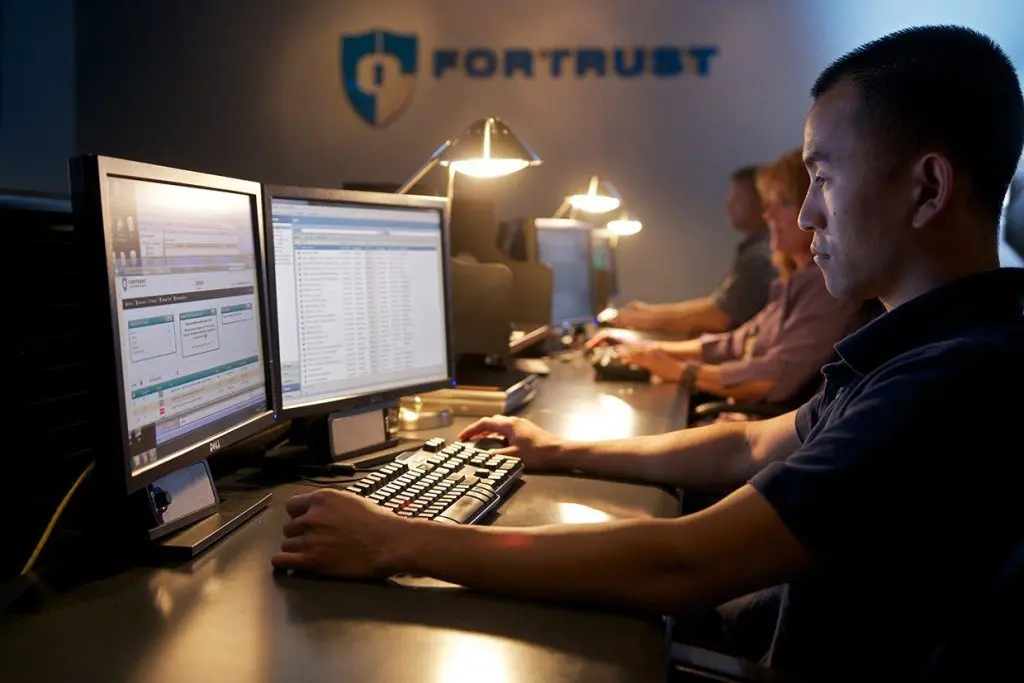
Long-time readers know I talk a lot about how modern maintenance has changed. Today I’m going to share a customer success story about how one company embraced those changes, and how maintenance contributes to excellent customer service. FORTRUST is a lot like any business—their success is built on customer service. As a colocation provider, the company provides reliable conditioned power, cooling, and security for companies looking to host their IT systems offsite as their primary or disaster recovery site. Back in 2010 the company found itself in a growth pattern. Now that’s a nice problem to have. To meet increasing demand, they began researching CMMS software to manage the expansion of installed equipment and the corresponding maintenance tasks. “The Excel spreadsheets just weren’t cutting it,” explained Joe Harris, FORTRUST’s critical systems lead. That’s a refrain I’ve heard many times from maintenance professionals. Also like many other businesses, FORTRUST briefly considered developing in-house software. But after a simple Internet search, they saw MPulse could do everything they needed—making implementation faster and more affordable. FORTRUST went from 0 to 60 with their MPulse CMMS software, which they use for… Work Order Management Maintenance Requests Parts Inventory Dashboards & Reporting Preventive Maintenance, and More One of their team’s proudest accomplishments? FORTRUST has reduced its inventory expenditures by 30% in just 5 years. “We have a limited amount of storage space,” Joe told me. “Before MPulse, we noticed we were keeping a lot of stuff on hand that we didn’t need, and then we had to throw it out because it had a limited shelf life. That costs money. With MPulse, we know which parts are more beneficial to order on an as-needed basis, which ones we should keep on hand, and which ones need longer lead times.” When I toured FORTRUST’s Denver, Colorado, facility recently, I was struck by their facilities team’s enthusiasm. They were proud of their work and eager to show us what they were doing. Plus, company executives were quick to point out how important the maintenance team’s contributions were. That’s an environment I wish more maintenance techs found themselves in. And the result of the company’s investment in both CMMS software and their employees? FORTRUST has more than 14 years of continuous critical systems uptime, which is a key component of FORTRUST’s customer service and marketing strategy. Yet even with their success, FORTRUST isn’t slowing down. Next they plan to move their maintenance strategy forward by strengthening their asset management plan. Download our customer success story for more information about how FORTRUST used MPulse Software, Inc to improve their operations—and how you can too. Contact us.
How to Get Management Support for Your Maintenance Projects

I’ve never met a maintenance worker who didn’t know how to build or repair something in a more streamlined way. With detailed knowledge about equipment and assets, they’ll tell you exactly how to make things run smoother or more efficiently on the production line or in a facility. That’s valuable knowledge. And too often it’s overlooked by the executive team and other department managers. Management support on maintenance projects is essential. Such was the case with Tom, a relatively new MPulse customer who felt his team’s good ideas were not getting the support they deserved. “I kept trying to explain to my boss why we needed to invest in some of these plans,” he told me. “But I wasn’t getting through to him.” Tom’s problem wasn’t the ideas. His problem was translating those ideas into the language of management—dollars. Learn to Speak the Language For maintenance workers, getting the job done means checking things off the list. The value of the work is a job completed. Executive managers, however, think about costs versus benefits. The value of the work is the return on investment (ROI) for the organization. So while Tom sees his maintenance strategy as tasks completed in a timely manner, his boss sees dollars. Think in Dollars I told Tom what I know to be true in any business or organization: “If you aren’t thinking of your work in terms of dollars, someone else is.” To convince his managers to support these projects, Tom needs to show them how they can save more money than they cost. He needs to prove the ROI of these investments. ROI is a simple mathematical equation: ROI = (gain from investment – cost of investment) / cost of investment So, how does Tom do that? He can use his MPulse CMMS data to calculate how these proposed projects will positively impact his company’s balance sheet. To get you started, Phil Beelendorf shares his ideas on calculating ROI in “How Effective is Your Maintenance Strategy” from Plant Services. The first step is a shift in your approach. “Teach yourself to always think like an accountant instead of a maintenance professional,” he writes. There’s more to this story, however. Tom’s real goal is autonomy—the ability to make decisions that he thinks will improve how his maintenance team—and his company—performs. I’ll share more of Tom’s story in another post. In the meantime, contact MPulse with any questions about proving maintenance ROI.
Prepare for Emergencies and Natural Disasters with CMMS Software
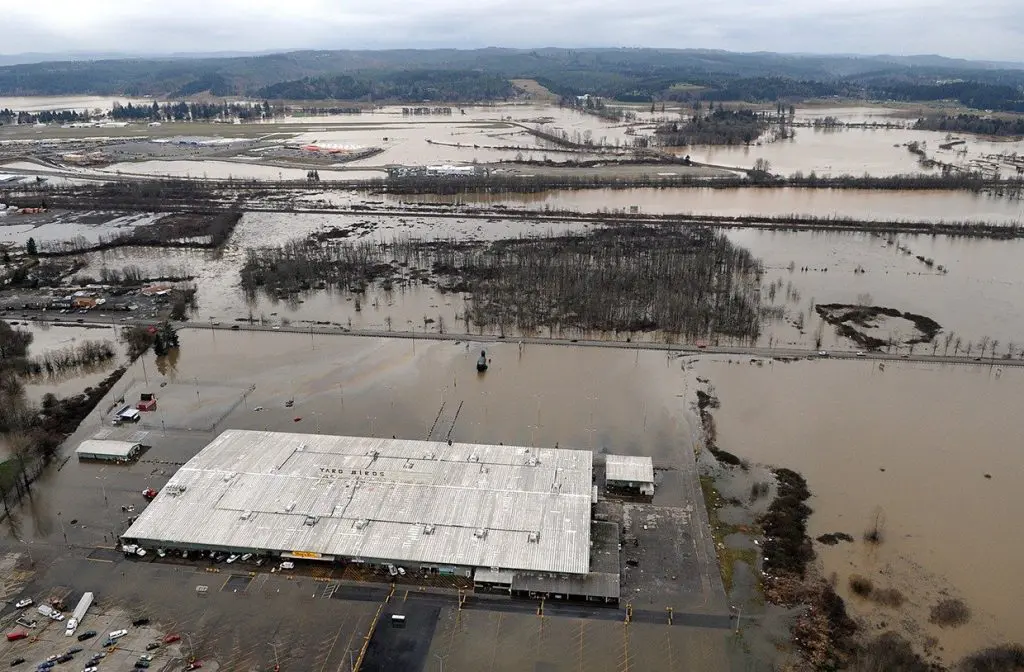
Maintenance is about reducing risk. Your maintenance team is responsible for decreasing the risk of equipment failure, employee injury, compliance audit issues, and so much more. When you’re a maintenance worker, you’re a first responder when things go wrong. Prepare for emergencies with CMMS. This point hit home for me after talking with Gary, an MPulse customer and maintenance director for a large manufacturing company with several locations across the United States. One of those facilities had experienced a natural disaster—a flood. His team had less than 24 hours to batten down the hatches and secure the site for record rainfall. “You never think it’s going to happen to you,” he told me. “We were lucky to have a little prep time, because usually you don’t. And I realized what we’ve been preparing for all along.” CMMS Software Can Help You Prepare It shouldn’t take a flood to remind us how important it is to prepare for emergencies and natural disasters. Luckily, maintenance teams have a crucial tool in CMMS software. CMMS software can help you… Create an emergency plan with checklists Define the roles and responsibilities of each staff person Ensure safety measures are in place Manage resources, supplies, and personnel Store documents and other information, including details for insurance purposes Identify where things are located, including emergency supplies Access information remotely. It’s impossible to completely remove risk from an organization, but the combination of CMMS software and an emergency plan is the best way to prepare for when things go wrong. Recovery is Important Too In Gary’s case, his team knew what to do before the storm hit, and they likely prevented more damage. Plus, their MPulse CMMS data was vital during the recovery period—helping the team get things up and running much faster. “We had our emergency inspection checklists in the software, so our team hit the ground running,” Gary said. “Plus, we had all the vendor details and part information right at our fingertips, which helped us get the damaged equipment fixed much faster.” Unfortunately, some of the company’s equipment was damaged beyond repair. Gary pulled data from his CMMS software to help with the company’s insurance claims. When the company replaced the damaged equipment, Gary’s team set up asset records right away in their MPulse Software, Inc. “We want to protect our investments,” Gary said. “Plus, now we understand how those small things make a big difference when things go wrong.” It shouldn’t take an emergency to realize the importance of proactive planning. Don’t wait for a disaster to strike. CMMS software can help you reduce your risk when speed is of the essence. Plus, you can give yourself an advantage during recovery with the safe storage of critical information. How has your organization used CMMS software for emergency preparation? Leave a comment or contact us. We can all learn from Gary—and each other.
Improve Your Workplace’s Health and Safety with CMMS Software

Maintenance teams can improve workplace safety with CMMS. It’s very likely your organization has to follow safety protocols from numerous organizations or regulatory agencies. Beyond those legal requirements, however, maintenance managers are responsible for creating a safe work environment for all employees—whether they work in the maintenance department or not. Maintenance work affects the entire organization—whether it’s on a production line or in a building. That’s a lot of responsibility. And maintenance technicians often work in environments that can be hazardous. Regular Maintenance Maven readers will remember our friend Troy, who was facing an OSHA investigation after a workplace accident. Vic, another MPulse customer, reminded me there’s a lot more to workplace safety than OSHA regulations. “OSHA documentation is important, Steve,” said Vic, a facilities manager for a large university. “But that’s just the tip of the iceberg. My team is responsible for their own safety on the job, but they also contribute to the safety of our building occupants and visitors. We’re constantly on alert.” How to Improve Workplace Safety with CMMS Safety in the workplace requires a lot of documentation, particularly for creating procedures and recording maintenance activities. And, I’ve said it before, but I’ll say it again: there’s nothing better at documenting those tasks than CMMS software. Vic agrees. “We’ve had some staff changes here, but the transition has gone more smoothly than I thought it would,” he said. “That’s because my team spent the time to thoroughly document our maintenance procedures. So when someone else needs to do the task next, they have custom checklists, resources like repair and preventative maintenance manuals, asset history, and safety procedures right there with the work order.” And best of all, much of that documentation is automated. Once it’s set up, your maintenance team is ready to go. “The biggest advantage I’ve found with our MPulse Software, Inc is the automated alerts,” Vic told me. “I know when our safety inspections are due. I can see who has had what safety training, and what certifications are going to expire. Plus, I don’t even have to remember to look for the information—the reminder pops up exactly when I need it.” How CMMS Helps Improve Workplace Safety Vic’s maintenance team uses MPulse CMMS software to… Update safety procedures Document safety training Publish safety data as a reminder to employees Standardize checklists for scheduled inspections Create a paper trail showing preventive measures Detail emergency procedures in case of a natural disaster or other incident. “We are definitely scheduling and tracking our maintenance and safety-related tasks and information, including those tasks required by law,” Vic said. “But it’s not just about protecting ourselves in an audit. It’s in our best interest to be proactive about our employees’ health and safety.” I couldn’t agree more. Contact us with your questions about maintenance’s role in workplace health and safety. Or get a free trial.