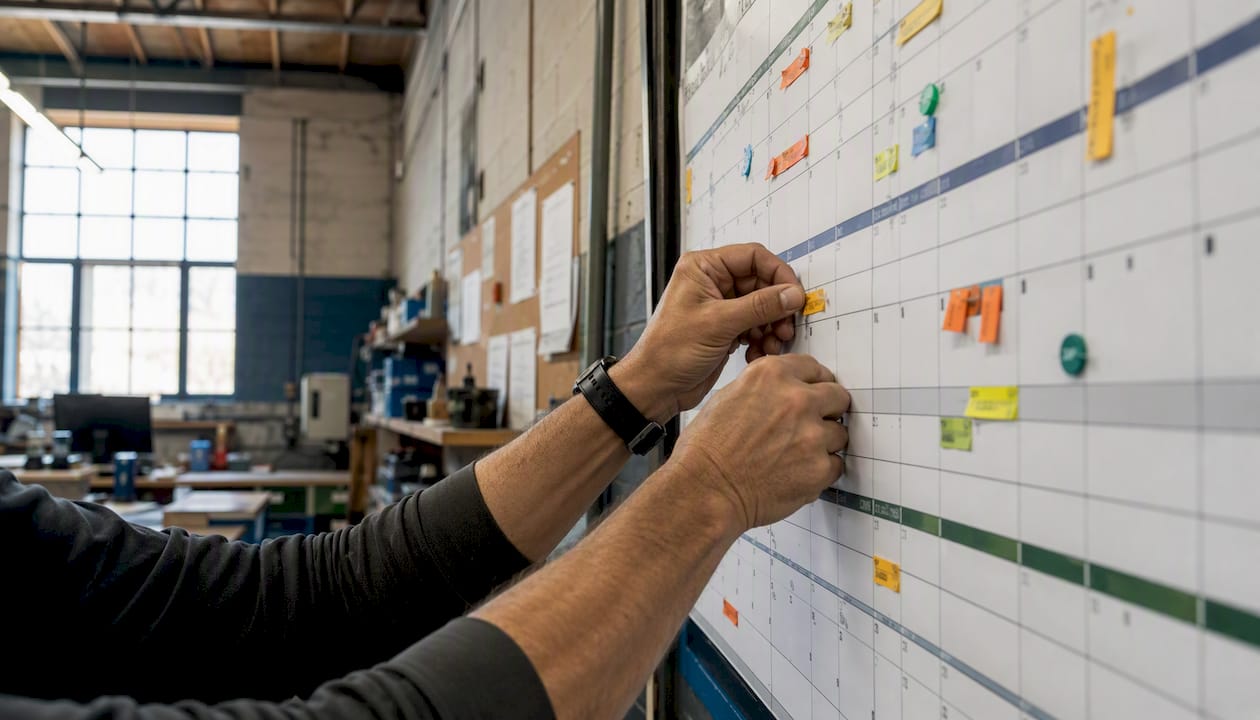
An academic calendar–aligned maintenance plan schedules preventive work around term dates and break windows to minimize instruction disruption, protect compliance, and spread costs evenly across the year. Start this week with three concrete actions:
- Map your upcoming term dates and major academic events (exams, graduation, assemblies, sports seasons) so you know exactly which windows are available for maintenance work.
- Run a one-day asset criticality quick-audit on your major systems — HVAC, boilers, electrical panels, roofing, and lab equipment — tagging each by failure consequence and lead time for parts.
- Block your primary summer, winter, and intersession windows now with tentative vendor hold slots, before contractors fill their schedules with other clients.
Within 90 days of completing those three steps, you should have a rolling 12-month calendar with locked major-work windows, a procurement reorder list for long-lead items, and a PM compliance rate you can actually measure.
Key Takeaways
Effective academic calendar maintenance planning treats term dates as the primary constraint and layers maintenance windows on top — not the reverse.
| Point | Details |
|---|---|
| Term-first scheduling | Map academic term dates before placing any maintenance task; instruction windows are non-negotiable constraints. |
| Three task categories | Sort all work into term-time-safe, short-break, and major-break buckets to match disruption level to available windows. |
| Procurement lead times | Order long-lead parts (12–16 week cycle for specialty HVAC components) well before the break window opens. |
| Six core KPIs | Track planned vs. reactive ratio, PM compliance, MTTR, instruction downtime, stockout rate, and contractor SLA adherence. |
| MPulse Software pilot | Start with one building or HVAC system for 90 days; target PM compliance above 90% and zero Tier 1 instruction downtime. |
Table of Contents
- Why aligning maintenance with the academic calendar matters
- Core elements every academic maintenance plan must include
- How to build your plan step by step
- Academic-calendar-aligned schedule templates for common systems
- Parts, storeroom rules, and procurement lead times
- Scheduling staff, defining roles, and coordinating contractors
- Inspections, recordkeeping, and emergency-response planning
- KPIs, reporting cadence, and continuous improvement
- What to look for in CMMS and scheduling tools
- How MPulse CMMS maps to your academic maintenance plan
- A facilities planner’s perspective on what actually works
- MPulse Software makes the plan operational
- Sources
- FAQ
Why aligning maintenance with the academic calendar matters
Calendar-aware planning is not a scheduling preference — it is an operational and financial discipline. When maintenance work is scheduled without reference to term dates, the consequences are predictable: HVAC failures during the first week of fall semester, roof repairs that run into exam week, and emergency contractor callouts at premium rates because the planned window was missed.
A year-round maintenance strategy that categorizes work into term-time-ready tasks, short-break work, and major works reserved for long breaks reduces disruption and spreads cost across the budget year. The operational benefits compound quickly: fewer reactive callouts, lower overtime spend, better contractor availability, and a compliance posture that does not depend on scrambling before an inspection.
Statistic callout: MPulse CMMS customers have documented efficiency improvements of up to 40% after implementing structured preventive maintenance programs — a signal of what calendar-aligned planning, combined with the right tooling, can produce.
The risk of ignoring term-awareness is concrete. An HVAC system that fails during a summer heat wave while students are in summer school, or a boiler that goes offline in January because its annual service was deferred, creates both an operational crisis and a compliance exposure. Fire suppression tests scheduled during a school assembly create access conflicts and potential safety incidents. These are not edge cases — they are the predictable result of planning without a term-first lens.
Pro Tip: Pull the official academic calendar from your registrar or district office before you open a maintenance spreadsheet. The University at Albany’s published academic calendar is a good example of how term dates, ITS maintenance windows, and add/drop deadlines coexist — your maintenance calendar should reference the same source of truth.
Core elements every academic maintenance plan must include
Before you can schedule anything, you need to assemble five foundational components. Missing any one of them creates gaps that surface as reactive work later.
Asset register and condition baseline. Every maintainable asset on campus needs a record with at minimum: asset ID, location, system type, age, last service date, criticality rating (high/medium/low), and estimated replacement cost. This is your planning foundation. Without it, you are guessing which systems to prioritize during limited break windows. For guidance on building this register, campus asset management best practices provide a practical starting framework.
Preventive maintenance blueprint. For each asset class, define the PM frequency: daily checks, weekly inspections, monthly servicing, quarterly calibrations, and annual overhauls. These frequencies determine how many tasks fall into each calendar window and whether your staffing model can absorb them.
Work-order process and communications protocols. Who creates a work order, who approves it, who executes it, and who closes it out? Define the chain before the calendar goes live. Include rules for downtime notification — how much notice faculty and students receive before a system goes offline.
Inventory and procurement lead times. Long-lead items (specialty HVAC components, control modules, lab equipment parts) need to be ordered weeks or months before the maintenance window opens. Your plan must map procurement timelines to calendar windows, not the other way around.
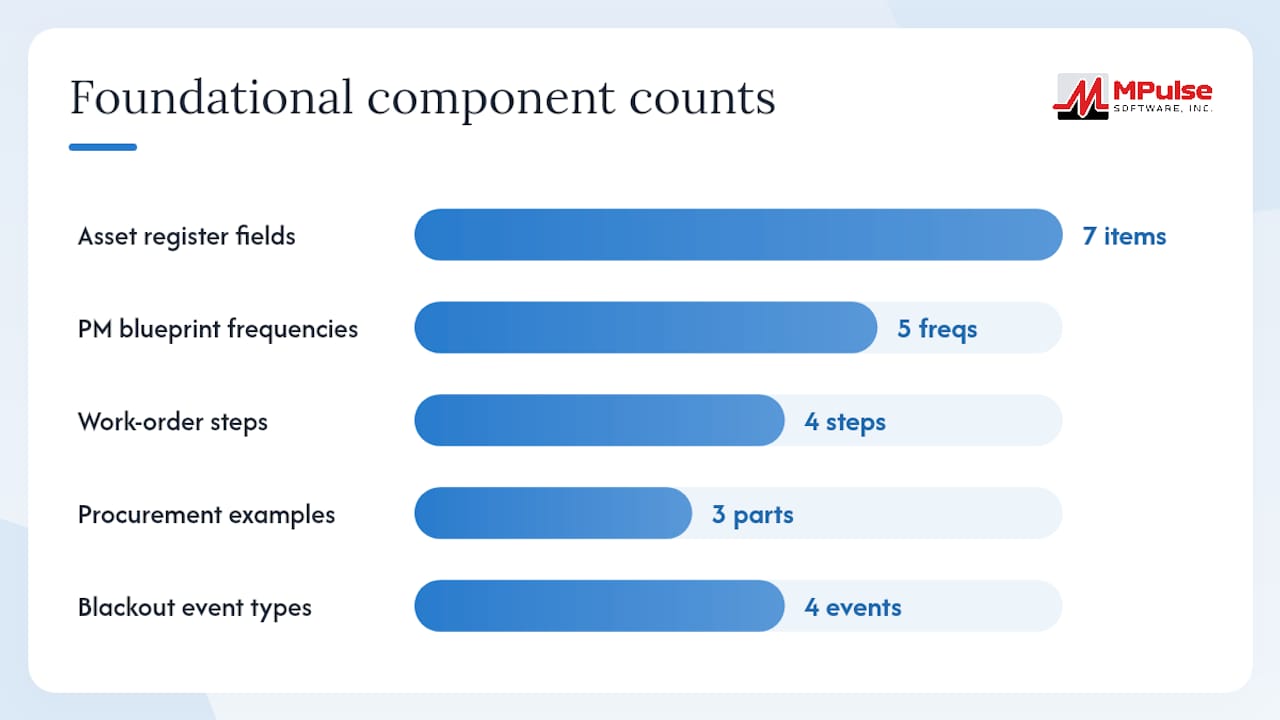
Stakeholder coordination and approvals workflow. Exam periods, graduation, large assemblies, and sports events create blackout dates that maintenance cannot cross. Build a formal approval step that requires academic liaison sign-off before any work is scheduled during high-sensitivity periods.
Mini-glossary for reference:
- Asset register: A structured inventory of all maintainable assets with condition and criticality data.
- Preventive maintenance (PM): Scheduled, recurring maintenance performed before failure occurs.
- Work order: A formal task record that authorizes, tracks, and closes a maintenance activity.
- Condition-based maintenance: Maintenance triggered by asset performance data rather than a fixed schedule.
- Term-aware scheduling: The practice of treating the academic calendar as the primary constraint when placing maintenance tasks.
Pro Tip: Use a CMMS with calendar scheduling features to enforce term-aware rules automatically — blackout dates, recurring PM triggers, and resource conflicts surface before work orders are issued, not after.
How to build your plan step by step
This six-step workflow moves from assessment to a live, auditable schedule. Each step has a defined owner and a realistic timeframe.
-
Conduct a facility assessment and asset criticality audit (Week 1–2). Walk every building with a tablet and record each major system. Tag assets as Tier 1 (failure stops instruction or creates a safety risk), Tier 2 (failure causes significant inconvenience), or Tier 3 (failure is manageable short-term). Capture current condition, last service date, and any known deficiencies. This single pass gives you the prioritization data every subsequent step depends on.
-
Map the academic calendar and anchor dates (Week 2–3). Pull the official term calendar and mark: first and last day of each term, exam periods, graduation, major athletic events, school holidays, inset days, and any planned IT or infrastructure maintenance already on the books. These dates define your available windows. Registrar-published calendars are the authoritative source — do not rely on informal department schedules.
-
Categorize maintenance tasks by disruption level (Week 3–4). Sort every PM task into one of three buckets: term-time-safe (can run during instruction with no access or noise impact), short-break (requires limited access or brief system downtime, suitable for weekends or half-terms), and major works (requires extended system shutdown or significant access, reserved for summer or winter break). This categorization is the core logic of your school calendar management approach.
-
Build the rolling 12-month calendar (Week 4–6). Place every task in its appropriate window. Lock major-work windows first, then fill short-break slots, then distribute term-time tasks across the year. Use a CMMS or calendar management tool to set recurring rules so the calendar self-populates for the following year. Mark exam periods and graduation as hard blackout dates requiring written approval to override.
-
Align procurement timelines (Week 5–7, parallel with Step 4). For every major-break work package, work backward from the start date to identify the latest order date for long-lead parts. Pre-book contractors with tentative hold agreements. Procurement approvals often take two to four weeks internally — factor that into your timeline, not as an afterthought.
-
Publish communications templates and train staff (Week 7–8). Create standard notification templates for planned outages (minimum 72 hours notice for non-emergency work during term time), emergency escalation procedures, and contractor access protocols. Run a half-day training session with maintenance staff covering the new schedule, work-order expectations, and blackout-date rules.
Pro Tip: Pre-book contractor hold slots for your summer window in January or February. By March, the best mechanical and electrical contractors in most markets are already committed elsewhere. A tentative hold costs nothing and protects your most valuable maintenance window.
Academic-calendar-aligned schedule templates for common systems
The table below maps task categories to calendar windows for three common system types. Use it as a starting template and adjust frequencies to match your asset conditions and manufacturer recommendations.
| System | Term-Time-Safe Tasks | Short-Break Tasks | Major-Break Tasks |
|---|---|---|---|
| HVAC | Filter checks, thermostat calibration, BAS monitoring | Coil cleaning, belt replacement, drain pan flush | Full seasonal validation, compressor service, ductwork inspection |
| Roofing | Visual inspections from ground level, drain clearing after storms | Flashing repairs, minor membrane patches, gutter cleaning | Full roof inspection, membrane replacement, structural repairs |
| Lab equipment | Daily calibration checks, consumable restocking, log review | Preventive servicing per manufacturer schedule, sensor calibration | Full equipment overhaul, gas line inspection, fume hood certification |
For HVAC, the critical timing rule is to complete full seasonal validation before the first day of term — not during the first week. A school HVAC maintenance schedule should place the summer validation run in late July or early August, giving a two-week buffer before fall classes begin.
Roof inspections and repairs follow a similar logic. Schedule the annual inspection in late summer and complete any identified repairs before September. Winter break is the secondary window for any deferred work. Avoid scheduling roof access during exam weeks — the noise and access restrictions create unnecessary conflict.
Lab equipment calibrations often have regulatory timing requirements. Map those requirements to the academic calendar and schedule calibrations during intersession or the week before term starts, when labs are accessible and faculty are available to verify results.
SchoolCalendar Pro and similar tools let you clone the prior year’s calendar, compare variants side by side, and calculate required instructional minutes — features that reduce rework when you are building the maintenance calendar against a new academic year structure.
Mark exam periods and graduation as hard blackout dates in your calendar tool. Any work order that would affect a blacked-out space during a blacked-out period should require a written override from the academic liaison and the facilities director.
Parts, storeroom rules, and procurement lead times
Inventory strategy for academic facilities is driven by one constraint: you cannot run out of a critical part when the only available repair window is a two-week summer break.
Critical parts to hold on campus:
- HVAC filters (all sizes in use across campus), fan belts, and motor capacitors
- Pump impellers and seal kits for domestic hot water and chilled water systems
- Control modules and actuators for building automation systems
- Emergency lighting batteries and ballasts
- Lab equipment consumables (calibration gases, reagents, replacement sensors)
- Fire suppression system components (heads, gauges, test kits)
Set reorder points based on asset criticality. For Tier 1 assets, maintain a minimum of one full replacement cycle’s worth of consumables on hand at all times. For Tier 2 assets, it is recommended to reorder when stock drops to around half of the standard order quantity.
Some specialty HVAC components, such as variable frequency drives, custom coil assemblies, and proprietary control boards, may have lead times extending three to four months. Order these in the spring for summer installation, and in September for winter-break work. Run your procurement approvals in parallel with the technical specification process, not sequentially.
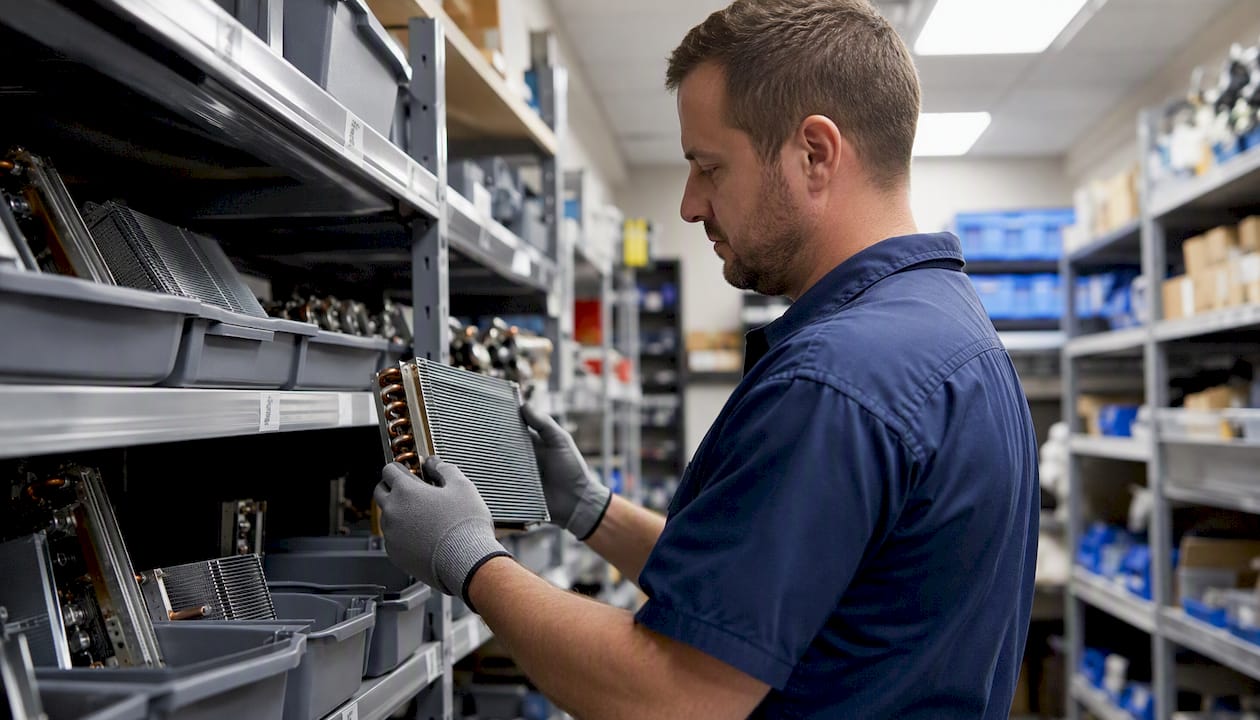
Before each major break window, conduct a storeroom audit: verify that all pre-ordered parts have arrived, check storage conditions for temperature-sensitive items, and confirm that emergency requisition procedures are in place for any gaps. During term time, keep the storeroom stocked for reactive repairs only — the planned work inventory should be staged separately to avoid confusion.
Scheduling staff, defining roles, and coordinating contractors
Clear role definition prevents the two most common failures in academic maintenance planning: work that falls through the cracks because no one owned it, and contractor access that conflicts with instruction because no one coordinated it.
| Role | Primary Responsibility | Approval Authority |
|---|---|---|
| Facilities Director | Strategic calendar approval, budget sign-off, escalation point | Approves major-break work packages and blackout overrides |
| Maintenance Supervisor | Day-to-day schedule management, work-order oversight, staff deployment | Approves term-time and short-break work orders |
| Maintenance Technician | Task execution, work-order completion, parts requisition | Executes; no approval authority |
| Scheduler/Planner | Calendar maintenance, contractor coordination, procurement tracking | Recommends; does not approve |
| Academic Liaison | Represents faculty/student interests, flags conflicts, approves access | Approves access to academic spaces during sensitive periods |
| Procurement Officer | Purchase orders, vendor contracts, lead-time tracking | Approves purchases within budget authority |
For contractor coordination, follow this checklist before any major-break work begins:
- Confirm tentative hold slots in writing at least 8 weeks before the break window opens.
- Issue formal purchase orders or work authorizations no later than 4 weeks before start.
- Provide contractors with campus access protocols, safeguarding requirements, and emergency contact lists.
- Confirm insurance certificates and background check compliance for all contractor personnel.
- Schedule a pre-work site walk with the contractor and the maintenance supervisor at least one week before mobilization.
Contractor scheduling strategies that include pre-booked hold slots and formal access protocols consistently reduce mid-term disruptions. Cross-train at least two technicians on each critical system so that term-time reactive repairs do not depend on a single person’s availability.
Inspections, recordkeeping, and emergency-response planning
Compliance work must be scheduled with the same calendar discipline as preventive maintenance — and the records must be retained in a format that survives an audit.
Store all compliance records digitally with a physical backup. A CMMS with document attachment and audit-trail features makes retrieval straightforward during inspections. The University of Cambridge Estates Division’s planned maintenance program demonstrates how a filterable annual maintenance calendar with disruption notices keeps compliance work visible to all stakeholders.
For emergency planning, reserve at least 10–15% of your maintenance budget and contractor capacity as contingency. Define on-call coverage for Tier 1 systems during term time, with vendor SLAs that guarantee response within four hours for critical failures. Document the escalation chain — who calls whom, in what order — and review it at the start of each term.
Note: This article addresses operational scheduling. Consult a licensed safety specialist or legal advisor for jurisdiction-specific compliance requirements.
KPIs, reporting cadence, and continuous improvement
A maintenance plan without measurement is a document, not a system. Track these six KPIs from day one:
- Planned vs. reactive ratio: Target 80% planned, 20% reactive. A ratio below 70% planned signals that the calendar is not being followed or that asset conditions are worse than the baseline indicated.
- PM compliance rate: Percentage of scheduled PMs completed on time. Target 90% or above.
- Mean time to repair (MTTR): Average hours from work-order creation to completion. Track separately for Tier 1 and Tier 2 assets.
- Downtime hours during instruction: Hours of system unavailability that overlap with scheduled classes. Target zero for Tier 1 systems.
- Inventory stockout rate: Number of times a required part was not available when needed. Any stockout on a Tier 1 asset is a planning failure.
- Contractor SLA adherence: Percentage of contractor callouts that met the agreed response time.
Review cadence: weekly ops check (supervisor reviews open work orders and upcoming tasks), break-focused planning review (two weeks before each major break, confirm all work packages, parts, and contractor bookings), quarterly performance review (KPI trends, budget vs. actual, upcoming procurement needs), and an annual strategic reset (rebuild the rolling 12-month calendar for the next academic year, update asset criticality ratings, renegotiate contractor holds).
When a KPI breaches its threshold — say, PM compliance drops below 85% — use it as a trigger to re-examine the calendar. Are tasks scheduled in windows that are actually available? Are technicians being pulled into reactive work that could have been prevented?
What to look for in CMMS and scheduling tools
The right tooling makes academic-calendar maintenance practical rather than heroic. Evaluate any platform against this feature checklist:
- Rolling 12-month calendar view with the ability to set recurring PM rules by asset, frequency, and season
- Blackout date enforcement that flags or blocks work orders scheduled during protected academic periods
- Resource and room-level scheduling so you can see conflicts between maintenance access and classroom bookings
- Mobile work-order entry for technicians in the field, with photo attachment and parts requisition
- Inventory integration that links parts consumption to work orders and triggers reorder alerts
- Procurement linking that connects purchase requisitions to work orders and tracks lead times
- Reporting dashboards for the six KPIs listed above, with export for board or leadership reporting
Integration checklist: SIS or calendar sync (so term dates flow into the maintenance calendar automatically), email and notification systems (for stakeholder outage notices), procurement or ERP connection (for purchase order workflow), vendor portal access (for contractor work-order visibility), and IoT or sensor feeds for condition-based maintenance triggers. MPulse Software’s real-time monitoring and IIoT capabilities support condition-based triggers that can flag asset degradation before a scheduled PM window, allowing you to advance or defer work based on actual condition rather than a fixed date.
Schedule Builder tools used by registrars — which let planners generate multiple schedule options, compare them visually, and finalize favorites — illustrate the kind of compare-and-confirm workflow that maintenance calendar tools should also support. Similarly, Academic Planner tools that integrate degree planning with schedule-building show how a single planning interface reduces coordination errors. Your CMMS should offer the same integration logic for maintenance: one system, one calendar, one source of truth.
For access security, any CMMS used in a school environment must support role-based access controls that limit contractor visibility to their assigned work orders and prevent access to student-data-adjacent records.
How MPulse CMMS maps to your academic maintenance plan
The table below maps each plan component to a specific MPulse CMMS capability, so you can see exactly how the platform translates the plan into daily operations.
| Plan Need | MPulse CMMS Capability |
|---|---|
| Rolling 12-month calendar with blackout dates | Calendar scheduling interface with recurring PM rules and date-blocking |
| Recurring PM automation by asset and frequency | Preventive maintenance automation with trigger rules (time, meter, condition) |
| Mobile work-order entry and field completion | Mobile-compatible work-order management with photo and parts attachment |
| Inventory management and reorder alerts | Integrated inventory tracking with minimum stock thresholds and requisition triggers |
| Procurement requisitions tied to work orders | Purchase requisition module linked to work orders and approval workflows |
| KPI reporting and audit trail | Graphical reporting and analytics with exportable dashboards |
| Condition-based maintenance triggers | IIoT and sensor integration for real-time asset monitoring |
MPulse Software serves over 3,500 customers globally, with documented efficiency improvements of up to 40% for teams that implement structured preventive maintenance programs through the platform.
Pilot checklist for a 90-day academic-calendar pilot:
- Scope: One campus building or one system (HVAC recommended as the highest-impact starting point)
- Success metrics: PM compliance rate above 90%, zero Tier 1 downtime during instruction hours, planned-to-reactive ratio above 75%
- Timeline: Month 1 — asset data entry and calendar setup; Month 2 — first PM cycle under the new schedule; Month 3 — KPI review and calendar refinement
- Rollback criteria: If PM compliance drops below 70% after 60 days, pause and audit the scheduling logic before expanding scope
Pro Tip: Use MPulse’s calendar management features to clone the pilot building’s calendar to additional buildings at the end of the 90-day period — the setup work scales without starting from scratch.
A facilities planner’s perspective on what actually works
The most common mistake in academic maintenance planning is treating the calendar as a constraint to work around rather than the primary design input. When you build the maintenance schedule first and then check it against the academic calendar, you will always find conflicts — and you will always lose, because instruction takes priority. Flip the sequence: start with the academic calendar locked, then place maintenance tasks in the windows that remain.
Three tips that do not appear in most planning guides:
-
Pre-book vendor hold slots before you finalize the maintenance calendar. If your summer window runs July 1–August 15, contact your primary mechanical and electrical contractors in February and ask them to hold those dates tentatively. You are not committing budget — you are protecting access to the people who can actually do the work.
-
Set mandatory blackout approvals as a system-enforced rule, not a policy. A policy gets ignored under pressure. A CMMS rule that requires a named academic liaison to approve any work order touching a blacked-out space creates an audit trail and a genuine gate.
-
Validate critical spares two weeks before term starts, not the day before. A two-week buffer gives you time to expedite a missing part. The day before term starts, you are out of options.
Stakeholder buy-in takes longer than the technical setup. Expect the first full academic year under a new calendar-aligned plan to feel rough in places — faculty will push back on access restrictions, contractors will miss hold confirmations, and some PMs will slip. The second year is where the system pays off, because the calendar is already built, the contractors know the windows, and the asset data is current.
MPulse Software makes the plan operational
Facility administrators who have built a solid academic maintenance plan on paper often hit the same wall: the plan lives in a spreadsheet, the work orders live in email, and the calendar lives in someone’s head. MPulse Software closes that gap.

MPulse CMMS gives your team a single platform where the academic calendar, PM schedules, work orders, inventory levels, and procurement approvals connect in one place. The calendar interface enforces blackout dates, the PM automation triggers recurring tasks without manual entry, and the mobile work-order system keeps field technicians and supervisors aligned in real time. For a 90-day pilot, scope it to one building or your HVAC system, set PM compliance and downtime reduction as your target KPIs, and measure against the baseline you established in your asset audit.
Over 3,500 facilities teams trust MPulse Software to manage their maintenance operations. Request a demo or start a free trial to see how the platform maps to your academic calendar maintenance plan.
Sources
- Schedule Builder — UNC Registrar
- Academic Planner — UW Parkside
- Planning maintenance around the academic calendar — JCW Estates
- SchoolCalendar Pro
- Planned maintenance — Estates Division, University of Cambridge
- Academic Calendar — University at Albany Registrar
FAQ
What is academic calendar maintenance planning?
Academic calendar maintenance planning is the practice of scheduling facility maintenance tasks around term dates, break windows, and academic events to minimize instruction disruption and protect compliance. It treats the school or university calendar as the primary scheduling constraint.
When should major maintenance work be scheduled in a school?
Major works — those requiring extended system shutdowns or significant building access — should be reserved for long breaks such as summer and winter recess. Smaller tasks can run during short breaks, inset days, or out-of-hours periods during term time.
How do you set maintenance priorities for school facilities?
Prioritize by asset criticality: Tier 1 assets whose failure stops instruction or creates a safety risk come first, followed by Tier 2 assets that cause significant inconvenience, then Tier 3. Schedule Tier 1 preventive maintenance in the earliest available break window and maintain critical spare parts on campus at all times.
What KPIs should facility managers track for academic maintenance?
Track planned vs. reactive ratio (target 80% planned), PM compliance rate (target 90%+), mean time to repair, downtime hours during instruction, inventory stockout rate, and contractor SLA adherence. Review these metrics weekly for open work orders and quarterly for trend analysis.
How does a CMMS support academic calendar maintenance planning?
A CMMS like MPulse Software connects the academic calendar, PM schedules, work orders, inventory, and procurement in one platform. It enforces blackout dates automatically, triggers recurring PM tasks, and provides reporting dashboards that track whether the calendar-aligned plan is reducing disruption and cost.