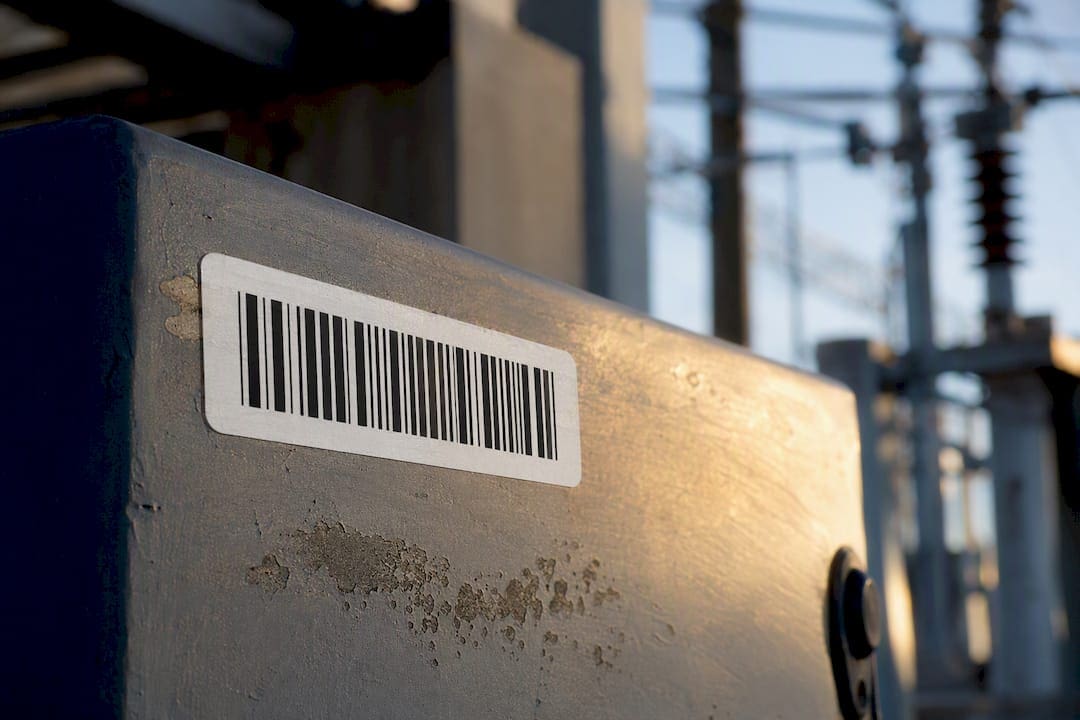
Get the durability of barcode labels right and your CMMS data stays clean for years. The minimum spec: metallized polyester (anodized aluminum for extreme heat or outdoor exposure), a permanent adhesive matched to the substrate, a matte UV-stable overlaminate, and 300 DPI print resolution, stepping up to 600 DPI for labels under one inch. Order sample tags, apply them to representative assets, and scan-and-register each one in your CMMS at installation. Then audit monthly for critical assets and quarterly for general inventory. For the MRO fundamentals, see maintenance, repair, and operations (MRO) basics. See also: Do You Need Repair Part Inventory?.
TL;DR:
- Using metallized polyester with UV-stable overlaminate and permanent adhesive provides 3 to 5 years of durability in industrial conditions, with anodized aluminum lasting over 10 years outdoors.
- Minimum DPI for one-inch labels is 300 for reliable scanning, but smaller or high-density codes require 600 DPI; confirm printer support before production.
- Proper surface preparation, including cleaning and priming, is critical for strong adhesion, especially on low-surface-energy plastics, to prevent premature peeling.
- Testing sample labels in actual working environments and registering each tag immediately ensures reliable performance and avoids orphaned labels.
- Regular audits, monthly for critical assets and quarterly for general inventory, help detect label degradation early and maintain accurate CMMS data.
Table of Contents
- What Label Materials and Specs Actually Hold Up?
- How Should You Prep and Apply Labels for a Reliable Bond?
- How Do You Test and Roll Out Labels Before a Full Deployment?
- Why Do Labels Peel, Blur, or Go Silver, and How Do You Fix It?
- What Should You Budget for Label Lifespan and Replacement?
- What’s the Rollout Checklist Before You Order Labels?
- What Changed When Our Labels Stopped Falling Off
- How MPulse CMMS Keeps Durable Labels From Going to Waste
- Sources
- FAQ
What Label Materials and Specs Actually Hold Up?
Barcode label materials fail for predictable reasons: the wrong face stock for the environment, the wrong adhesive for the substrate, or print resolution too low for the label size. Get those three variables right and most durability complaints disappear.
Material selection by environment:
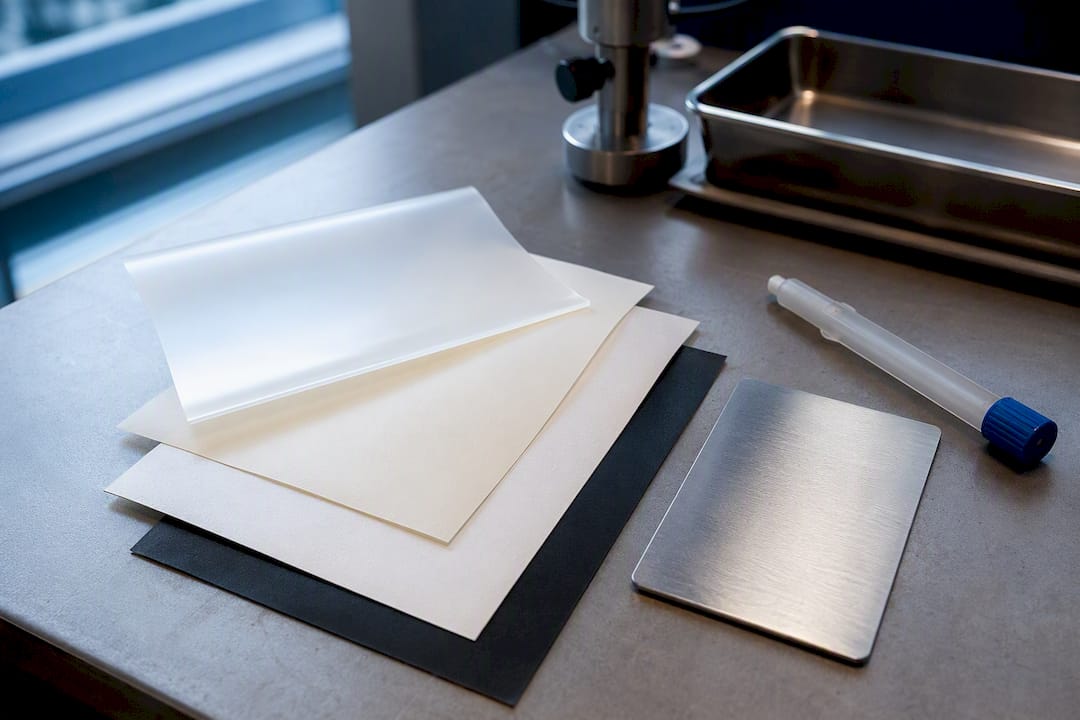
- Metallized polyester handles most indoor industrial settings. Labels with a UV-stable overlaminate and permanent adhesive typically last 3 to 5 years in industrial conditions and resist oil, heat, and abrasion on production floors.
- Anodized aluminum is the choice for extreme outdoor exposure or high-heat equipment like ovens, kilns, or rooftop HVAC units, where polyester overlaminates can eventually degrade under sustained UV and thermal cycling.
- Semi-gloss paper or vinyl works fine for low-traffic indoor assets that get relabeled anyway, like leased equipment or short-cycle inventory.
Adhesive choice matters as much as face stock. Permanent acrylic adhesive suits most flat metal and painted surfaces. Powder-coated equipment needs an aggressive acrylic formulated to grip textured, low-tack finishes. Reassignable assets, like pooled tools or rental equipment, call for a removable adhesive that won’t tear the surface finish on removal.
A matte, UV-stable overlaminate does two jobs: it cuts glare that interferes with scanning under bright warehouse lighting, and it forms a chemical and abrasion barrier over the print. Polyester and polypropylene face stocks resist moisture and chemicals far better than uncoated paper, which is why paper belongs only in short-term applications.
DPI depends on label size. Reserve 203 DPI for labels over one inch with simple codes. Standard one-inch QR modules need 300 DPI as the minimum for reliable scans; anything smaller, or any high-density code packed onto a compact label, needs 600 DPI. Your printer sets the ceiling here, so confirm resolution capability before committing to a small-format label design.
For symbology, Code 128 handles compact alphanumeric asset IDs efficiently. QR codes scan from any angle and hold more data, which speeds up field scanning with a phone camera instead of a dedicated scanner. Confirm your CMMS and scanner hardware actually support whichever symbology you pick before ordering a full batch.
How Should You Prep and Apply Labels for a Reliable Bond?
Adhesion strength on a clean, dry surface runs three to five times higher than on a contaminated one. Skipping surface prep is the single most common cause of early peeling.
- Wipe the surface with isopropyl alcohol and let it dry fully before applying anything. Skip this step and you’re gambling with adhesion.
- For low-surface-energy plastics (polyethylene, polypropylene housings), apply a primer designed for that substrate and let it cure per the manufacturer’s wait time before applying the label.
- Place the tag on a flat, accessible section of the asset where a scanner can approach straight on. Avoid edges, seams, and rounded corners where peel starts.
- Leave a quiet zone, a blank margin, around the barcode so nearby text or graphics don’t confuse the scanner.
- Scan and register the tag in your CMMS immediately, before the adhesive reaches full cure. Waiting creates orphaned tags, physical labels with no matching record, and 15 to 25 percent of tags never make it into the system when this step gets skipped.
For curved or textured surfaces (pipes, cylindrical tanks, cast housings), use a larger tag and a wrap technique that follows the curve rather than fighting it, and add primer if the surface is rough or oily. On assets with heavy vibration or where adhesive alone won’t hold, use mechanical fasteners or drilled rivet holes instead.
Pro Tip: Assign the scan-and-register step to whoever applies the label, not a separate data-entry team. Splitting the task across two people or two shifts is how tags end up physically applied but never entered into the CMMS.
How Do You Test and Roll Out Labels Before a Full Deployment?
Bench testing before a plant-wide rollout catches material mismatches before they turn into thousands of relabeling hours. Expose sample labels to the conditions your assets actually face: direct light, grease contact, repeated wipe-down cycles with the cleaning chemicals your team uses, and the temperature range the equipment reaches during operation.
Run a pilot batch on 20 to 50 representative assets across your worst-case environments, not just the easy ones.
- Set a clear acceptance criterion before you start, such as a 98% scan success rate at the distance and angle your scanners will actually use in the field.
- Log every failed scan during the pilot, and note whether the cause was adhesive, print quality, or lighting.
- Register every pilot label in the CMMS at the moment of application, never in a batch afterward, to avoid the exact orphaned-tag problem testing is supposed to prevent.
Testing before a full rollout reduces relabeling frequency and scan failures considerably, and material or application mistakes cause more program failures than any weakness in the CMMS itself. Once labels are live, keep auditing: monthly scans for critical or high-value assets, quarterly for general inventory. Audit logs should capture scan success/failure, visible label condition, and date, so degradation shows up before it creates a data gap.
Why Do Labels Peel, Blur, or Go Silver, and How Do You Fix It?
Diagnose the failure before you reorder anything. Edge lift or full peel points to an adhesive or surface-prep problem. Fuzzy, hard-to-read modules point to print degradation, often from a worn thermal print head or the wrong ribbon. A cloudy, silvered look under the laminate usually means a substrate reaction or overlaminate breakdown from UV or heat.
- Edge lift: apply an edge-seal tape as a temporary fix, then reorder with an aggressive adhesive matched to the substrate.
- Print blur: check ribbon type first; thermal transfer printing with resin ribbons resists fading and smudging far better than direct thermal or inkjet.
- Silvering: upgrade the face stock, moving from paper to polyester or from polyester to anodized aluminum for the harshest spots.
- Tampering or unauthorized removal: switch to a tamper-evident construction that fractures on removal.
For any failed label, photograph it, remove and replace it, register the replacement in the CMMS immediately, and note the failure cause so the pattern shows up in your next material review.
What Should You Budget for Label Lifespan and Replacement?
Material lifespan varies enormously by environment. Metallized polyester with a UV-stable overlaminate runs 3 to 5 years in industrial conditions; anodized aluminum can exceed 10 years outdoors; uncoated paper can fail within a year in any harsh setting.
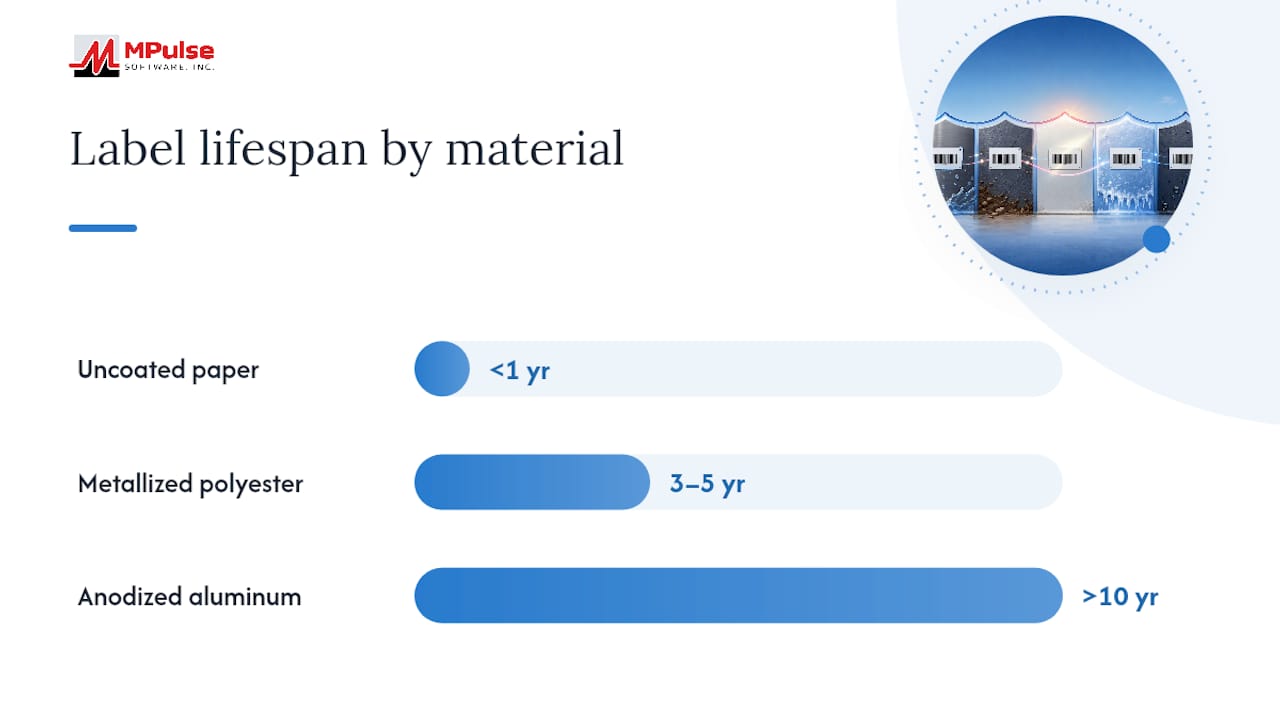
The math favors durable stock almost every time. A few extra cents per label for metallized polyester and correct DPI is typically the highest-ROI decision in a tagging rollout, since relabeling labor and CMMS reconciliation time cost far more than the material difference. That case strengthens fast once you’re past roughly 20 tagged assets, where a single relabeling pass starts eating real technician hours.
Order a small proof run first, validate it, then scale to the full fleet. Keep spares on hand for damaged tags, and maintain version control on serialized asset IDs so replacements map cleanly to existing records instead of creating duplicates.
What’s the Rollout Checklist Before You Order Labels?
- Order: face stock and adhesive matched to substrate, UV-stable overlaminate, ribbon type matched to printer DPI, and a sample quantity for pilot testing.
- Apply on-site: clean the surface, prime if the substrate calls for it, apply the tag, scan and register it in the CMMS immediately, photograph it, and spot-check scans at the distance and angle your scanners will use.
- Document: keep the supplier spec sheet, pilot test results, the asset ID mapping, and a sign-off form confirming the rollout met your acceptance criteria.
What Changed When Our Labels Stopped Falling Off
Facilities that fix their label spec once tend to stop thinking about it, which is the whole point. Maintenance teams running mixed paper and low-grade vinyl tags report constant re-scans and missed service intervals because a scanner simply can’t read a scuffed or silvered code. Switch to metallized polyester with proper DPI and a permanent adhesive, and that friction mostly disappears.
The bigger shift happens in the CMMS itself. When scan-and-register work orders happen at the point of application instead of days later, reconciliation time drops and audit readiness stops being a scramble before every inspection. Readers building this workflow from scratch should also look at how barcode scanning ties into preventive schedules rather than treating labeling as a separate project from maintenance planning.
— Mark
How MPulse CMMS Keeps Durable Labels From Going to Waste
A durable label only pays off if the scan actually lands in a usable record. MPulse Software closes that gap by tying barcode scanning directly to asset records, preventive schedules, and condition-based work orders, so a technician’s scan at installation creates the asset record on the spot instead of waiting for a data-entry pass later.

That scan-at-install habit is what prevents orphaned tags, the physical labels with no matching CMMS record that quietly undermine even the best material spec. Pair a metallized polyester or anodized aluminum rollout with MPulse’s barcode scanning feature, and every label you apply becomes a live data point instead of a future reconciliation project. If you’re planning a relabeling initiative or standing up asset tracking for the first time, see how MPulse CMMS supports the full workflow from scan to work order, then request a demo to walk through your specific asset environment.
Sources
Material lifespan, DPI thresholds, and adhesive guidance in this article draw on supplier and industry documentation, including McAuley Labels, PrinterJournal, IDplate, and Print Cafe USA on adhesive and overlaminate selection.
- Best Custom QR Code Labels for Equipment Maintenance 2026 — McAuley Labels
- Asset tracking barcode labels: a complete guide — PrinterJournal
- Industrial barcode labels: materials, durability & best practices — IDplate
FAQ
How Long Do Barcode Labels Actually Last?
Metallized polyester with a UV-stable overlaminate typically lasts 3 to 5 years in industrial conditions, while anodized aluminum can exceed 10 years outdoors and paper often fails within a year in harsh settings.
What DPI Do I Need for Small Asset Tags?
Standard one-inch QR labels need 300 DPI minimum, and anything under one inch or packed with a high-density code needs 600 DPI to stay scannable.
Should I Use QR Codes or 1D Barcodes for Asset Tags?
Code 128 works well for compact alphanumeric IDs, while QR codes scan from any angle and hold more data, making them better for dense payloads. Confirm your CMMS and scanner hardware support your choice before ordering a full batch.
Why Do My Labels Keep Peeling?
Adhesion on a clean, dry surface runs three to five times stronger than on a contaminated one, so most peeling traces back to skipped surface prep or the wrong adhesive for the substrate.
How Often Should I Audit Barcode Labels?
Check critical or high-value assets monthly and general inventory quarterly, logging scan success and visible label condition so degradation surfaces before it creates gaps in your CMMS data.