

An equipment maintenance history is the complete, dated record of everything done to an asset over its life: inspections, preventive tasks, repairs, parts, costs and downtime. Kept in a CMMS (computerized maintenance management system), it becomes the single place where every work order for a machine is tied to that machine, so you can see patterns, prove compliance and decide whether to repair or replace. MPulse CMMS builds that history automatically as work orders are completed.
TL;DR
- A maintenance history is the lifetime record of one asset: what failed, what was found, what was done, which parts and labor it took, and what it cost.
- The U.S. Department of Energy’s guideline calls for a chronological record, diagnostic data, vendor correspondence and periodic engineering review, not just a list of repairs.
- Retention periods depend on who regulates you. Federal contract rules, EPA rules and state codes set periods from one year to five or more.
- The history pays off when someone reviews it: recurring failures, abnormal maintenance levels and repair-versus-replace decisions all come from trended data.
- A CMMS keeps the history centralized, searchable and available to every department without retyping.
Table of Contents
- What an equipment maintenance history is
- What the history should contain
- Why the history is worth the effort
- How long to keep maintenance records
- Building the history: from scattered records to one source
- Where a CMMS changes the work
- Putting the history to work: three reviews
- Who benefits most
- How MPulse fits
- Our perspective
- FAQ
- Sources
What an equipment maintenance history is
The phrase gets used three ways, so it helps to separate them.
- Maintenance log: a record of each maintenance activity as it happens, usually written entry by entry.
- Repair history: the corrective events only, meaning breakdowns, failure modes, repair actions and parts.
- Maintenance history: the full picture for one asset. It includes the log, the repair events, the preventive and predictive work, condition data, vendor information and the notes that explain why decisions were made.
Think of the log as the raw entries and the history as what you get when those entries are organized by asset and readable over years. A technician uses it at the machine. A manager uses it at the budget meeting. An auditor uses it to confirm that required work was done and documented.
What the history should contain
The most detailed public guidance comes from the U.S. Department of Energy. Its DOE-STD-1068-94 guideline says each component’s history file should have five parts:
- Component identification and description
- A chronological maintenance record
- Diagnostic monitoring data
- Vendor correspondence
- Provisions for engineering review and analysis
The same standard says each entry should carry the date, the job request number, a clear statement of the deficiency and the corrective action, references to post-maintenance testing, as-found and as-left data, parts replaced or repaired, special tools used and the labor hours spent. You do not need a nuclear-facility level of detail for a rooftop HVAC unit, but the structure transfers to any asset.
A practical field list
The California Public Utilities Commission’s Sullivan Ruling on generation maintenance programs lists what equipment history should include or cross-reference: corrective maintenance records with failure modes and causes, preventive and predictive maintenance records, as-found conditions, vendor repair information, startup tests and baseline data, surveillance test data, calibration data and spare parts information. Insurer guidance points the same direction. AXA XL’s maintenance program guidelines describe a work order system that captures work type, priority, failure cause, conditions found, actions taken, components involved, and time and materials.
Turned into a working template, an entry for each work order should answer:
| Field | Why it matters later |
|---|---|
| Asset ID, location, model, serial number | Ties the entry to the right machine, and to warranty coverage |
| Date and work type (preventive, corrective, inspection) | Lets you count failures against planned work |
| Reported problem and failure cause | Reveals repeat failure modes |
| As-found and as-left condition | Shows whether the work actually restored performance |
| Actions taken and procedure followed | Makes the repair repeatable by someone else |
| Parts used and quantities | Feeds inventory planning and cost totals |
| Labor hours and technician name | Supports staffing and cost analysis |
| Downtime duration | Measures the real cost of each failure |
| Test or calibration results | Provides compliance evidence |
| Attachments: photos, vendor notes, manuals | Saves the next technician from starting over |
Why the history is worth the effort
A history that nobody reads is only paperwork. One that is reviewed changes decisions.
It exposes repeat failures
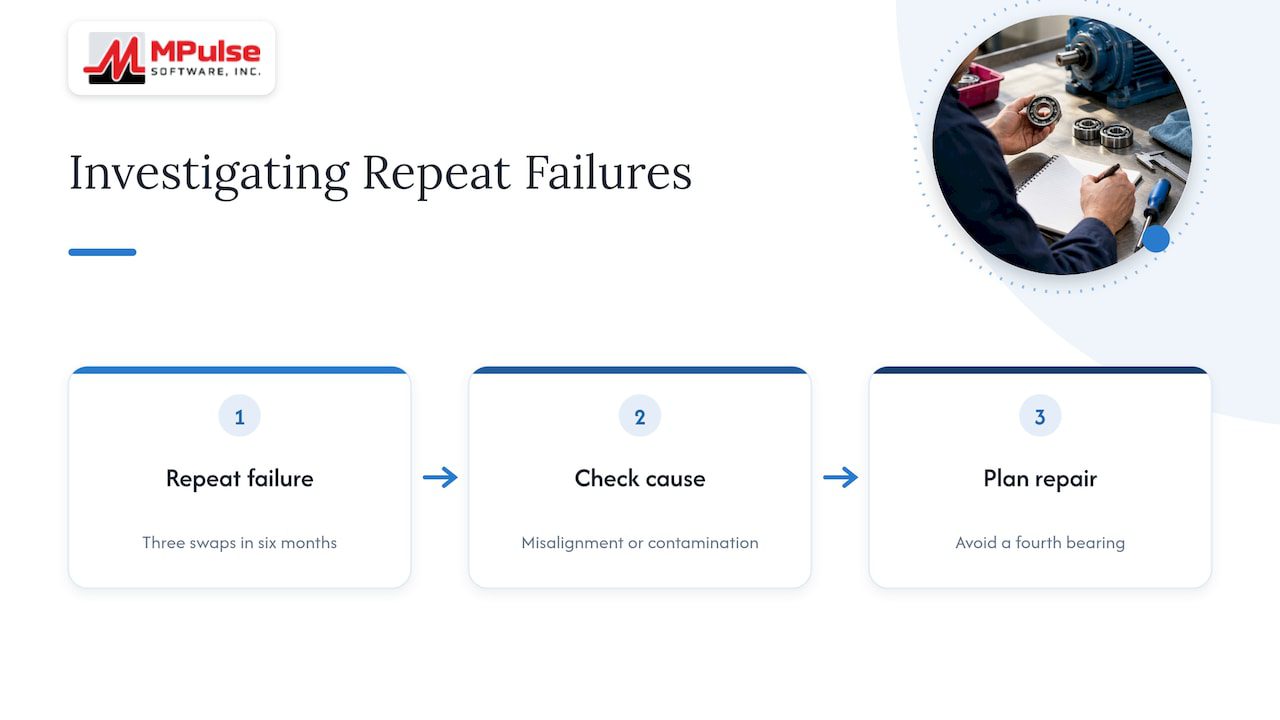
AXA XL Risk Consulting says equipment history helps identify equipment that needs abnormally high maintenance, analyze repetitive failures and compare projected maintenance cost with replacement cost. It also warns that maintenance departments that do not study equipment history are more likely to suffer repeated failures. If the same bearing has been swapped three times in six months, the history tells you to look for the underlying cause, such as misalignment or contamination, instead of ordering a fourth bearing.
It supports reliability and planning
The DOE guideline states the objective plainly: document maintenance and performance data as a basis for improving reliability, make sure root causes of failures are found and corrected, and feed that knowledge into future work planning. The Sullivan Ruling adds that planners use history for previous work results, special tool needs, lubricant types and quantities, manpower and time requirements, parts information and procedure needs. In practice, a planner who can open the last three jobs on a chiller writes a better work order for the next one.
It improves the preventive maintenance schedule
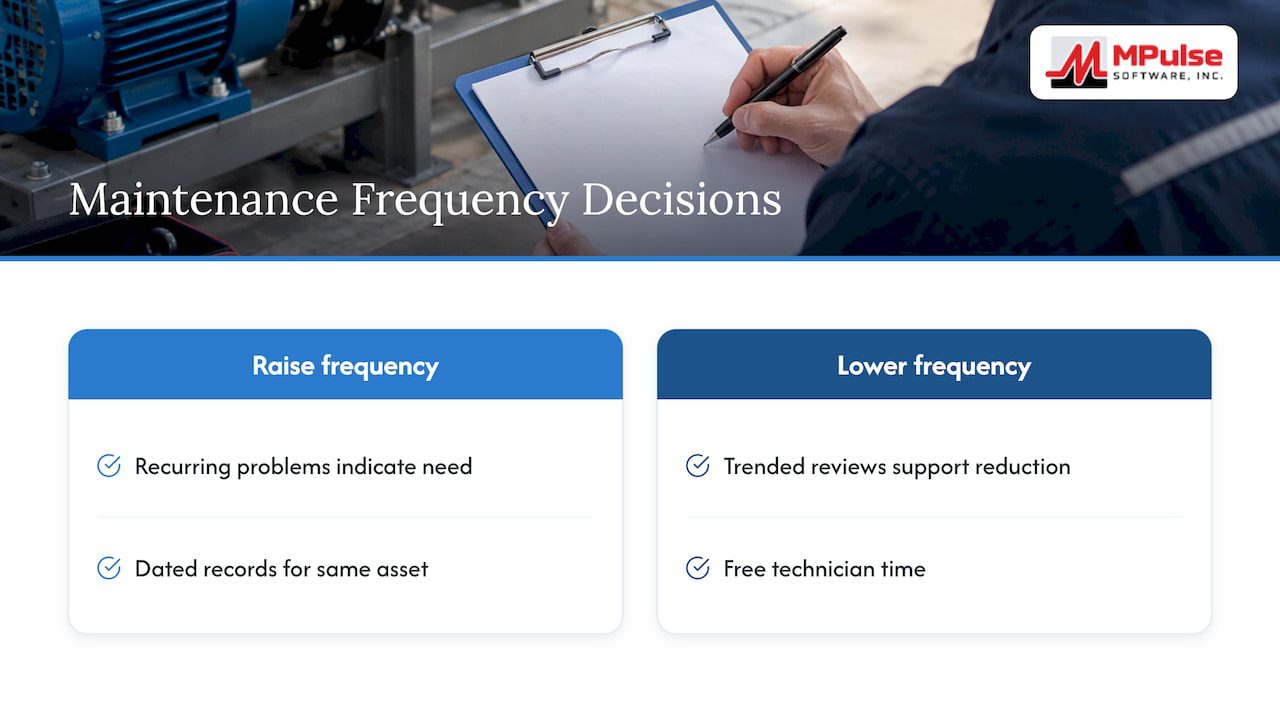
History cuts both ways. Recurring problems may show a task is needed more often. The Sullivan Ruling notes that trended reviews can also show where a lower preventive frequency is warranted, which frees technician time for assets that need it. You cannot make either call from memory. You need dated records for the same asset, side by side. Our preventive maintenance software is built around this loop, where completed work orders feed the next scheduled task.
It makes repair-or-replace a numbers question
Every repair adds parts, labor and downtime to the asset’s running total. When that total approaches the cost of a new unit, the decision is clear. For the framework behind this, see our guide on whether to repair or replace equipment.
How long to keep maintenance records
There is no single U.S. retention rule. The period depends on the regulation that covers your industry, your contracts and your state. These examples show the range:
- Federal contractors: 48 CFR 4.705-3 requires work orders for maintenance and other services, and equipment usage, status and repair orders, to be kept for 4 years.
- EPA-regulated sources: 40 CFR 60.5565a requires records to be maintained for 5 years after each compliance period, with each record kept on site for at least 2 years after the event, measurement, maintenance or corrective action.
- New Jersey: N.J. Admin. Code 12:100-13.6 requires the building maintenance schedule to show all maintenance on building systems, including the date and the person or company who did the work, with records kept at least three years and available to Department representatives on request.
- Oregon public agencies: Oregon’s records schedule sets equipment maintenance records at one year after disposal, with other records in that series kept four years.
Two habits keep you safe. First, apply the longest period that touches the asset, whether regulatory, contractual or insurer-driven. Second, tie retention to the asset’s life rather than the calendar where you can: a record that must survive until one year after disposal needs to remain searchable for as long as the equipment is in service. Confirm your own obligations with your compliance officer or counsel, particularly in healthcare, food, pharmaceutical and environmental settings, where specific agencies set their own rules.
Building the history: from scattered records to one source
Most teams do not start with a blank page. They start with paper work orders, a spreadsheet or two, technicians’ notes, vendor invoices and an email folder. Compiling an asset’s history from those pieces follows a repeatable routine.
- Define the asset list. Give every asset a unique ID, with location, make, model and serial number. History can only attach to something that is uniquely identified. Barcode labels make that identification quick at the machine.
- Collect what exists. Pull work orders, vendor service reports, inspection checklists, calibration certificates, warranty documents and purchase records for each asset.
- Standardize the entry format. The DOE guideline notes that a common entry format eases data entry and retrieval. Pick the fields from the table above and use them for every entry.
- Enter it chronologically. Oldest first, so the timeline reads cleanly. Add the failure cause and the parts used wherever the source records show them.
- Make it available to everyone who needs it. The Sullivan Ruling says maintenance history data should be provided readily to all departments, especially maintenance, training and technical support.
- Set a review cadence. The DOE guideline directs engineering review of component history files at least every two years to detect recurring problems or trends that call for corrective maintenance, modification or schedule changes. Many teams review their critical assets more often.
The weak point in this routine is step 5. The DOE guideline recommends that the history file be maintained centrally in electronic form, populated by the individual groups and accessible facility-wide in read-only mode. Paper binders and personal spreadsheets cannot meet that standard, because they live where they were written.
Where a CMMS changes the work
A CMMS does not add a separate history-keeping task. The history is a by-product of the work orders your team already closes. Here is how that maps to MPulse CMMS, based on what the platform does:
- Work order management and asset tracking keep each completed job attached to its asset, so the history builds as technicians close tickets.
- Preventive maintenance automation and the calendar interface schedule recurring tasks and show what is due, so planned work appears in the same record as repairs.
- Mobile device compatibility and barcode scanning let technicians pull up an asset and update it at the machine.
- Inventory management for parts and supplies records which parts each job consumed.
- Graphical reporting and analytics summarize history across assets so repeat problems are visible without hand-built reports.
- Condition-based maintenance and integration with sensor systems bring monitoring readings into the picture. Our IIoT and real-time monitoring page explains how that connection works.
- Customizable workflows and compliance recordkeeping support the documentation regulated environments need, which matters in healthcare, education and manufacturing.
- Unlimited free requesters mean anyone in the building can report a problem, so the first event in an asset’s history is not lost in a hallway conversation.
If your history also has to connect to your ERP or other business systems, the DataLink Integration Adapter is designed for that.
Putting the history to work: three reviews
Having data is step one. These three recurring reviews turn it into savings.
Monthly: the bad actors list
Sort assets by number of corrective work orders and by downtime hours. The top ten are your bad actors. For each, read the last several entries and ask whether the failure cause repeats. If it does, open a root cause investigation instead of scheduling another repair.
Quarterly: planned versus unplanned
Compare how much work was preventive against how much was reactive. A rising reactive share tells you that tasks are missing or intervals are too long. A falling one on a given asset may tell you its preventive frequency can be reviewed, as the Sullivan Ruling suggests.
Annually: repair or replace
For aging assets, add cumulative repair cost and downtime over the past year and compare against replacement cost. This is the review AXA XL describes when it says history supports comparing projected maintenance cost with replacement cost and justifying the overall program. Having the figures from the history in front of finance makes the capital request a short conversation.
A worked example
Suppose a school district’s rooftop unit has four corrective work orders in 14 months, each a compressor contactor replacement. Without history, each call looks like a routine repair. With history, the pattern is visible: same part, same failure, roughly every four months. The next step is to look at the as-found notes, check voltage and cycling conditions, and fix the cause. The history did not repair anything. It told the team where to look.
Who benefits most
- Facility managers use history to prioritize budget and defend capital requests with records instead of recollection.
- Manufacturing teams use it to find the failure modes that drive unplanned stops on production lines.
- Healthcare facilities use it to show inspection, testing and corrective work on critical equipment when surveyors or auditors ask.
- Educational institutions use it to coordinate maintenance across many buildings and handle seasonal peaks.
- Contractors use it to arrive prepared: with the previous repairs on screen, a technician can bring the right parts and avoid a second visit.
How MPulse fits
MPulse CMMS has earned the trust of more than 3,500 customers globally, with efficiency improvements of up to 40% reported by customers. Two plans are published on our pricing page: Professional at $29 per month per user and Advanced at $79 per month per user. A Technician License and Enterprise Add-Ons are also listed there. For teams that want help moving records out of spreadsheets and paper, our implementation, hosting and training services cover the setup, and the Maintenance & Support Program is available as an add-on.
Our perspective
A maintenance history is the most valuable thing a maintenance department produces, and it is usually the least organized. Every technician knows something about the pump that keeps failing. The question is whether that knowledge lives in a person or in a record the whole team can open.
We built MPulse around the idea that history should come from doing the work, not from extra paperwork. A completed work order should add to the asset’s record automatically, and that record should be one click from the calendar, the parts list and the report that a manager or auditor will ask for.
The teams that get the most from their history do one simple thing: they review it on a schedule. The data is only the start. The decisions, such as fixing a root cause, adjusting a preventive interval or retiring an asset at the right time, are where downtime and cost come down.
Mark
FAQ
How do I find an asset’s maintenance history?
Open the asset record in your maintenance system and filter its work orders by date. If records are still on paper, gather work orders, vendor reports and inspection sheets by asset ID. Entering them into a CMMS once makes every later lookup immediate.
What is the difference between a maintenance log and a maintenance history?
A log is the set of individual entries recorded as work happens. A history is those entries organized by asset over its life, along with condition data, vendor information and review notes. The history is what you analyze for trends.
How long should I keep equipment maintenance records?
It depends on the rules that apply to you. Examples include 4 years for federal contract maintenance records, 5 years after a compliance period under EPA rules and at least 3 years in New Jersey. Use the longest period that applies and check with your compliance officer.
How often should the history be reviewed?
The DOE guideline sets engineering review of component history files at least every two years. Reviewing bad actors monthly and total costs annually catches problems sooner and gives you the numbers for budget decisions.
Sources
- DOE-STD-1068-94, DOE Standard Guideline to Good Practices
- Sullivan Ruling, Generation Maintenance Program Overview (CPUC)
- Maintenance Program Elements (AXA XL)
- 48 CFR 4.705-3, Acquisition and supply records
- 40 CFR 60.5565a, Recordkeeping
- Or. Admin. Code 166-300-0020, Facilities/Property records
- N.J. Admin. Code 12:100-13.6, Recordkeeping