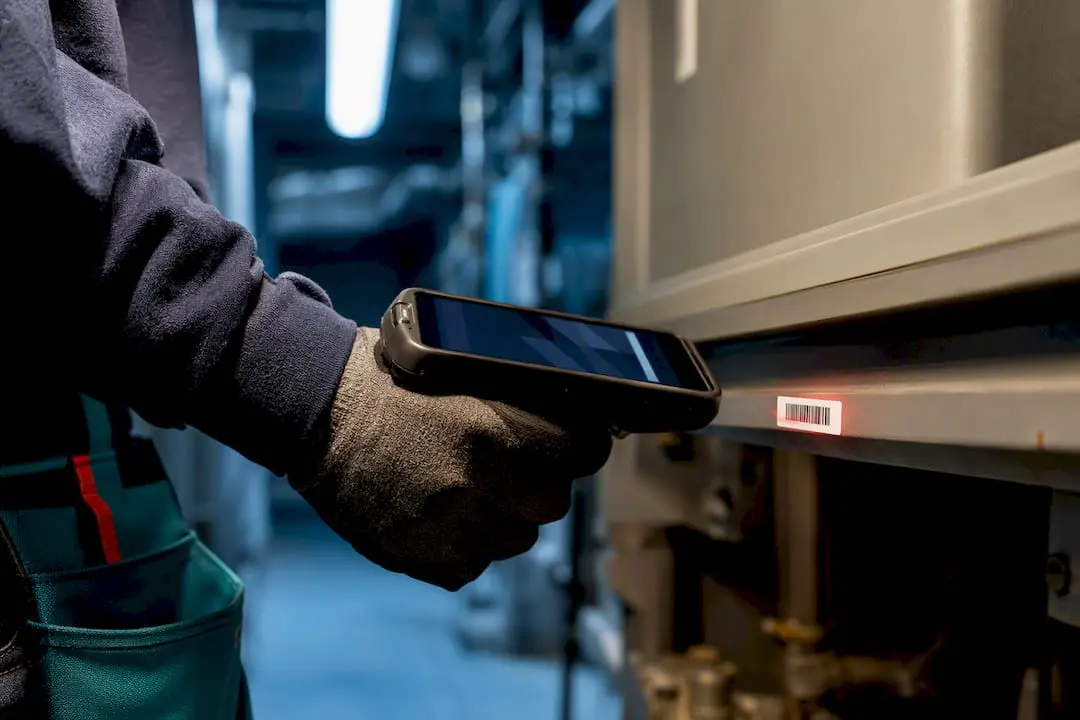
A barcode or QR code work order lets a technician scan a tag on an asset or location and instantly pull up its record, open a new ticket, or trigger a preventive maintenance task, replacing manual lookups with a two-second action. That single scan captures the timestamp, the technician’s identity, and the asset history in one motion, which is why teams that adopt it typically see faster response times, fewer data-entry errors, and a cleaner audit trail. The rest of this guide walks through how to tag assets, connect scans to your CMMS, and roll the system out without disrupting daily work.
TL;DR:
- Focusing on high-value, high-failure assets first ensures a more effective rollout, with fewer tags needed to generate meaningful improvements.
- Using 2D barcodes like QR codes offers better durability and data capacity for harsh environments, supporting more reliable scans outdoors or in dirty conditions.
- Offline scanning with queued synchronization and accurate timestamps prevents duplicate tickets and maintains data integrity in connectivity-challenged locations.
- Mapping each barcode to a specific CMMS asset record before deployment and running a pilot improves adoption and minimizes errors during full implementation.
- Expect a return on investment within 6 to 12 months, driven by faster response times, reduced manual errors, and focusing tagging efforts on critical assets first.
Table of Contents
- How Do Barcode Work Orders Actually Work?
- What Should You Tag First: Assets, Locations, or Parts?
- How Do You Roll Out a Barcode Work Order System?
- How Does CMMS Integration Make Scans Actionable?
- Which Barcode Format and Scanner Should You Use?
- How Do You Handle Offline Scanning in the Field?
- What KPIs and ROI Should You Expect?
- Practical Lessons From the Field
- Where MPulse Software Fits Into Your Barcode Rollout
- Sources
- FAQ
How Do Barcode Work Orders Actually Work?
The mechanics are simple even when the back end is not. A technician points a phone camera or handheld scanner at a barcode or QR code affixed to a pump, a panel, or a storage bin, and the system responds based on what that tag is programmed to do.
Three patterns cover most real-world setups:
- Scan-to-open — the scan pulls up an existing asset record, showing service history, open tickets, and attached documents.
- Scan-to-create — if no active work order exists for that asset, the scan launches a blank ticket with the asset ID, location, and technician already filled in.
- Scan-to-trigger — the scan fires a scheduled PM task or escalates a fault to a supervisor, useful for condition-based routines.
Every version auto-populates fields that used to require typing: asset number, location code, date, time, and user ID. That auto-fill is what reduces manual data entry and the errors that come with it, and it builds a timestamped log that shows exactly who touched what and when. Some vendor platforms, including tools like MaintainX-style mobile apps, default to a “create new asset” prompt when a scanned code has no match, which is worth knowing before you tag anything, since a typo in your labeling scheme can quietly spawn duplicate asset entries.
What Should You Tag First: Assets, Locations, or Parts?
Not everything needs a barcode on day one. Rollouts that try to tag an entire facility at once tend to stall, while those that start narrow tend to stick.
- High-value, high-failure assets first. Compressors, chillers, conveyor motors, anything that generates frequent work orders or costs the most when it fails.
- Frequently serviced locations. Mechanical rooms, loading docks, and any zone technicians visit multiple times a week benefit from a location tag even without a specific asset attached.
- Parts and storage bins. Tagging shelves and bins ties directly into inventory records, cutting picking errors and giving you real-time counts as parts move.
- Job tickets and temporary tags. Printable work-order barcodes let you tag a one-off repair or a rental unit that will not stay on-site long enough to justify a permanent label.
Sequencing matters more than coverage. A facility with 40 tagged high-failure assets scanning correctly beats one with 400 tags nobody trusts.
How Do You Roll Out a Barcode Work Order System?
The single biggest reason barcode projects stumble is treating the software setup as step one instead of step three. Tagging and label design need to happen first. Lowry Solutions calls this a “physical-to-digital” workflow, and skipping it means technicians end up climbing ladders to rescan misplaced tags after the system is already live.
- Plan your tag logic. Decide on a naming convention (by building, department, or asset class) before printing a single label.
- Create and place labels. Choose durable materials suited to the environment, then mount them where a technician can scan without removing a panel or climbing equipment.
- Map tags to CMMS records. Link each barcode to its corresponding asset template, then run a small pilot on one department or one asset class.
- Measure, then scale. Track scan volume, error rate, and technician adoption for two to four weeks before expanding facility-wide.
- Set governance rules. Decide early who can generate new tags, how damaged labels get replaced, and how duplicate tags get merged instead of ignored.
Pro Tip: Laminate or use industrial-grade vinyl labels near anything exposed to washdown, heat, or oil. A barcode that will not scan after three months in a machine shop costs you more in support calls than the up-front label expense.
How Does CMMS Integration Make Scans Actionable?
A scan is only as useful as the system behind it. The integration layer is what turns a barcode read into a linked asset history, a cost record, and a maintenance trend line instead of an isolated event.
- Mobile scanning with offline sync is non-negotiable for field crews working in basements, tunnels, or steel-frame buildings with poor signal.
- Linked histories let one scan surface prior work orders, attached PM templates, parts consumption, and running cost totals for that asset.
- Automated label issuance, through built-in generators or an API connection, lets you print new barcodes the moment an asset is added instead of batching label runs manually.
- Cross-system visibility extends further when barcode data feeds into ERP or CRM platforms, giving other departments the same timestamped record of work performed.
If your CMMS platform, such as MPulse’s plant maintenance tools, already supports condition-based triggers, a scan can also kick off a work order automatically when a reading crosses a threshold, folding barcode data into your condition-based maintenance routines.
Which Barcode Format and Scanner Should You Use?
Format choice depends on how much data you need to store on the tag and how rough the environment is. Orderry’s technical documentation covers the most common standards used in maintenance settings.
- 1D formats (Code128, UPC-A, EAN-13) work fine for simple asset IDs where the barcode just points to a database record.
- 2D formats (QR codes, Data Matrix) hold more data directly on the tag and tolerate partial damage or dirt better than a 1D barcode, making them the safer default for outdoor or industrial tags.
- Smartphone cameras handle most day-to-day 2D scanning without extra hardware, and modern CMMS mobile apps are built around exactly that.
- Dedicated handheld scanners still earn their cost in high-volume environments like warehouses or fleet yards, where rapid bulk scanning matters more than convenience.
- Label material should match the exposure: polyester or vinyl for chemical and moisture exposure, metal-backed tags for high heat.
How Do You Handle Offline Scanning in the Field?
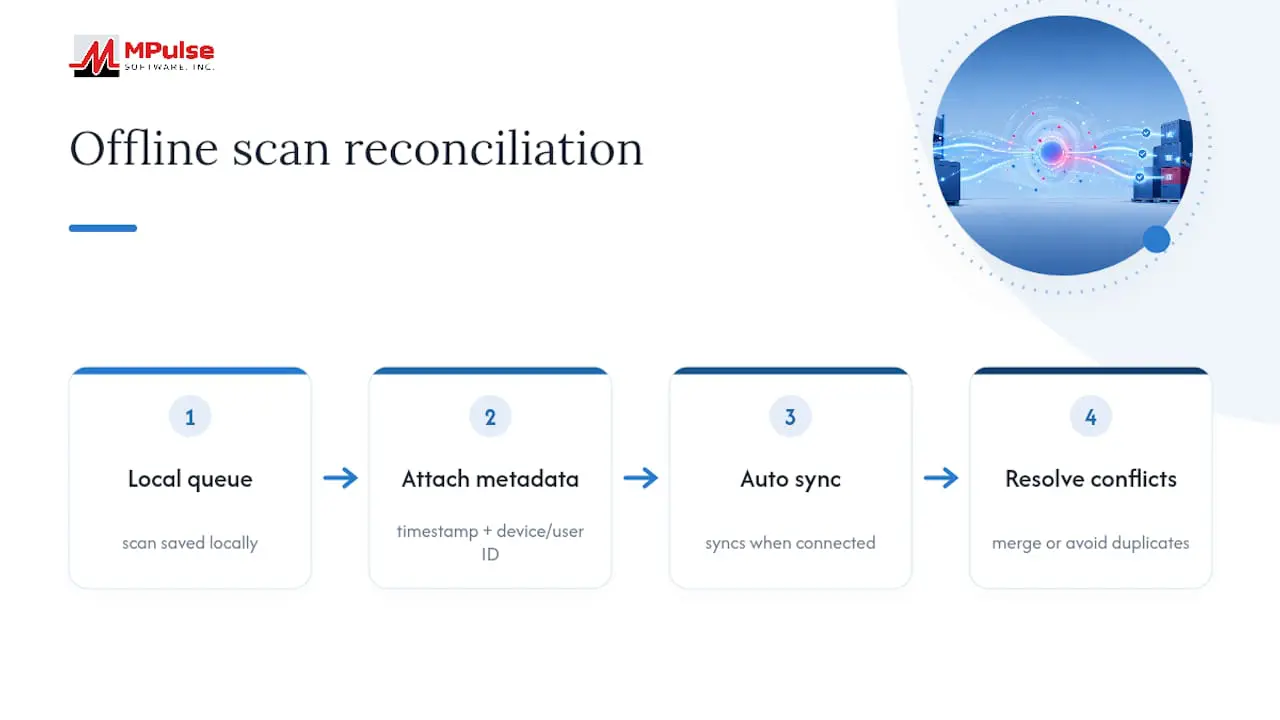
Connectivity gaps are the norm in basements, remote sites, and steel buildings, not the exception, so your mobile app needs to work without a live signal. Offline-first apps queue scans locally and sync automatically once a connection returns, rather than forcing a technician to wait or reload a screen.
The reconciliation step is where most teams get sloppy. Every queued scan needs a precise timestamp and a unique device or user ID attached before it syncs, so that when two technicians scan the same asset within minutes of each other, the system can resolve the conflict instead of creating duplicate tickets.
Pro Tip: Train technicians to scan the existing asset tag before manually typing a new work order, even when they are offline and unsure if a ticket already exists. That one habit prevents more duplicate records than any software setting.
What KPIs and ROI Should You Expect?
A clean checklist keeps a rollout from drifting, and a few numbers keep expectations realistic.
- Confirm tag logic and label placement before any software mapping.
- Map every barcode to a CMMS asset record before go-live.
- Run a pilot on one department for two to four weeks.
- Train technicians on scan-to-open versus scan-to-create behavior.
- Track response time, work-order completion time, error rate, and inventory accuracy weekly during rollout.
Teams that shift from manual entry to scan-and-sync work orders typically see faster ticket updates, a measurable drop in data-entry errors, and an ROI window of roughly 6 to 12 months, with faster payback tied directly to how quickly high-frequency assets get tagged.
Practical Lessons From the Field
Most barcode projects fail for boring reasons: labels placed where nobody can reach them, tags never mapped to a CMMS record, or a pilot skipped entirely. The fix isn’t more software, it’s sequencing. Tag your busiest assets, get technicians scanning something useful within a week, and let that early win carry the rest of the rollout.
— Mark
Where MPulse Software Fits Into Your Barcode Rollout
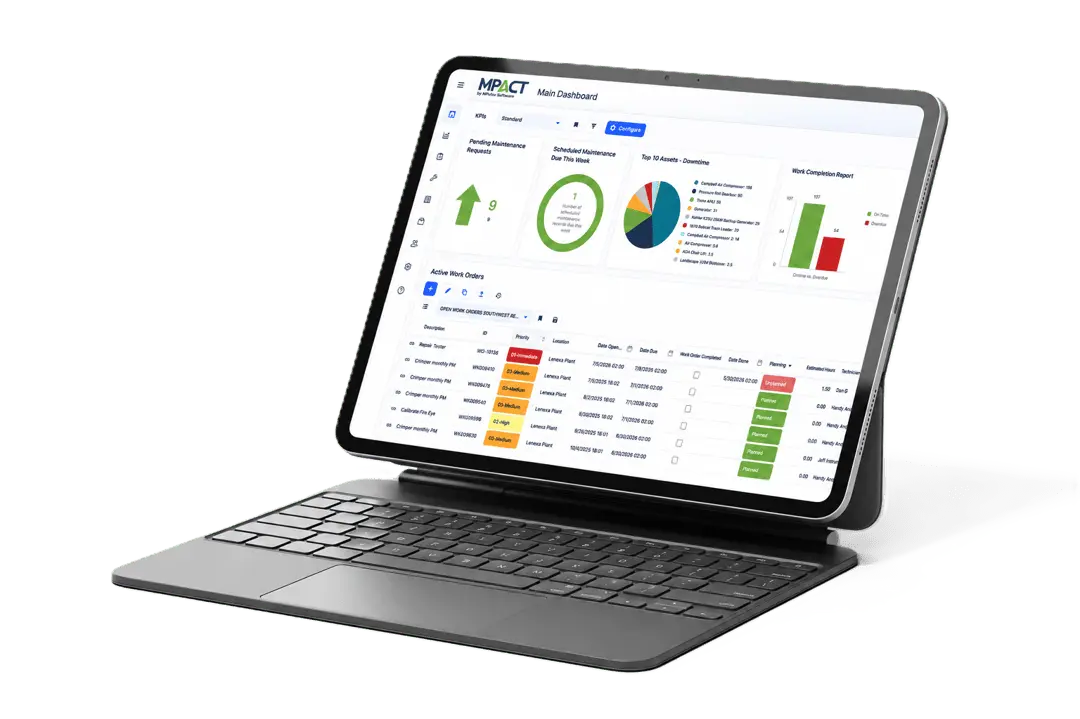
MPulse Software gives maintenance teams a direct path from a scanned tag to a working record, without stitching together separate apps for scanning, asset tracking, and PM scheduling. Its barcode scanning feature links each scan to asset histories, parts lists, and preventive maintenance templates, and the mobile app supports the offline workflows field crews actually need.

The software’s calendar-driven scheduling makes it straightforward to connect a scan-triggered ticket to an existing PM plan rather than building that logic from scratch. If your crews already juggle GPS-based time tracking through a partner tool like Clock-Me, pairing that data with scan timestamps gives you a fuller picture of technician activity in the field. Ready to see how barcode scanning fits your own asset list? Explore MPulse CMMS and request a walkthrough of the barcode and mobile workflows described above.
Sources
For barcode format specifications, see Orderry’s barcode documentation. For rollout sequencing, review Lowry Solutions’ implementation guide.
- Barcodes in Orderry | Orderry
- 6 things to know for a successful barcode implementation | Lowry Solutions
FAQ
How do you generate a barcode work order?
Most CMMS platforms include a built-in label generator that creates a unique barcode tied to an asset or job ticket, which you then print and attach; some systems also support API-based bulk generation for large asset lists.
Can you get paid for scanning barcodes?
Scanning barcodes on the job is generally part of routine maintenance work, not a separately paid activity. Some unrelated warehouse or data-entry programs may pay for barcode-related tasks.
What is the best work order software for barcode scanning?
The best choice depends on your asset volume and field conditions, but look for mobile scanning support, offline sync, and direct links between scans and asset histories. Platforms like MPulse Software build these capabilities directly into their CMMS rather than requiring a separate scanning add-on.
How do you check if a barcode works before deploying it?
Scan the printed label with the same device type your technicians will use, in the actual lighting and surface conditions where it will be mounted, and confirm it pulls up the correct asset record rather than a blank or mismatched one.